Month: January 2026

  • How Professional Web Designers Master Website Planning Before Coding.

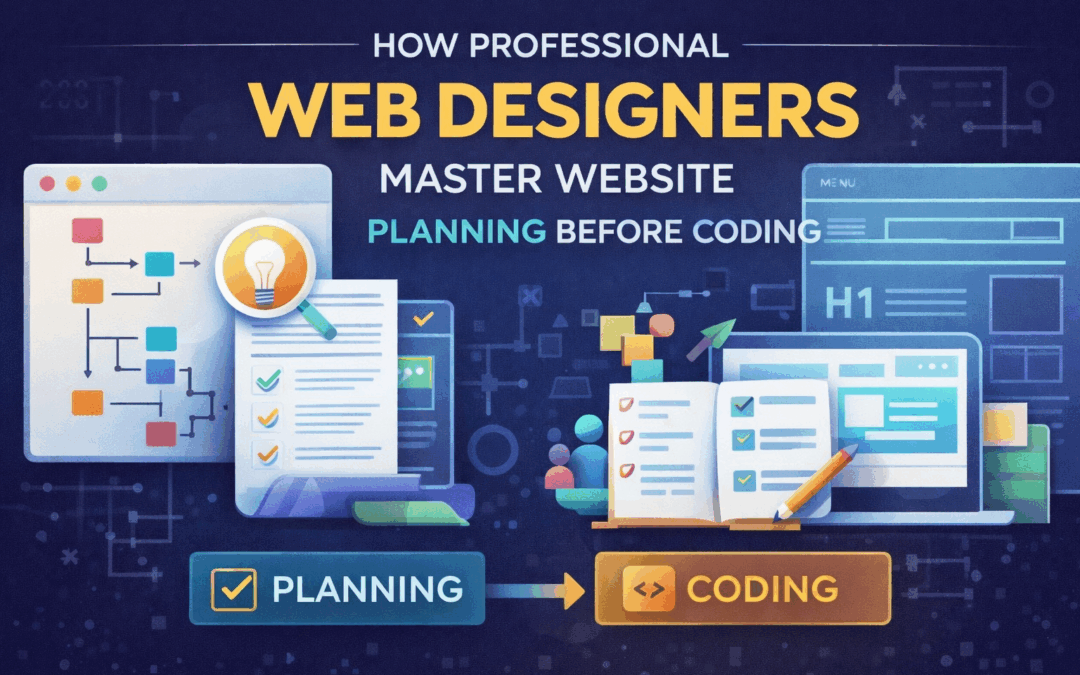
    How Professional Web Designers Master Website Planning Before Coding.

    [et_pb_section fb_built=”1″ _builder_version=”4.24.2″ _module_preset=”default” global_colors_info=”{}” theme_builder_area=”post_content”][et_pb_row _builder_version=”4.24.2″ _module_preset=”default” global_colors_info=”{}” theme_builder_area=”post_content”][et_pb_column type=”4_4″ _builder_version=”4.24.2″ _module_preset=”default” global_colors_info=”{}” theme_builder_area=”post_content”][et_pb_text _builder_version=”4.24.2″ _module_preset=”default” custom_padding=”5px|||||” inline_fonts=”Abril Fatface” global_colors_info=”{}” theme_builder_area=”post_content”]

    How Professional Web Designers Plan a Website Before Writing Code

    Introduction: Code Is Never the First Step

    Many beginners believe web design starts with HTML, CSS, or a design tool. Professionals know better. In real studios, code is never the first step—it’s the final execution of a well-thought-out plan.

    This is why website planning before coding is the foundation of successful web projects. Planning defines direction, prevents rework, and ensures the website solves real user and business problems. Without planning, even the best code produces poor results.

    Why Website Planning Before Coding Matters

    A website is not just a collection of pages—it’s a system designed to guide users toward a goal. Professional designers understand that jumping into code too early leads to confusion, wasted effort, and inconsistent user experiences.

    Website planning before coding helps designers:

    • Clarify purpose and objectives
    • Understand user expectations
    • Structure content logically
    • Align design with business goals

    Planning turns ideas into strategy before visuals or code exist.

    Step 1: Defining the Purpose of the Website

    Every professional web designer begins by asking a simple but critical question: Why does this website exist?

    Is it meant to:

    • Generate leads
    • Sell products
    • Educate users
    • Build brand credibility

    Clear purpose drives every decision that follows. Without this clarity, designers risk building something visually appealing but functionally useless. This early stage of website planning before coding ensures the website has a measurable goal.

    Step 2: Understanding the Target Users

    Designing without knowing the user is one of the biggest mistakes beginners make. Professionals spend time understanding:

    • Who the users are
    • What problems they face
    • How they consume information
    • What actions they want to take

    User research may include interviews, analytics review, or persona creation. This step ensures the website feels intuitive, not confusing. Strong website planning before coding always puts the user first.

    Step 3: Content Comes Before Design

    Professional web designers plan content before layouts. They identify:

    • Key messages
    • Page purposes
    • Call-to-actions
    • Content hierarchy

    This content-first approach prevents cluttered designs and improves clarity. When content is clear, design decisions become easier and more intentional. This phase of website planning before coding avoids redesigns caused by missing or excessive content.

    Step 4: Creating Site Structure and Navigation

    Before a single pixel is designed, professionals map out:

    • Sitemap
    • Page relationships
    • Navigation flow

    This ensures users can find information quickly and logically. Good structure improves usability, SEO, and user trust. Strong website planning before coding treats navigation as a user journey, not a menu list.

    Step 5: Wireframing the Website

    Wireframes are simple visual blueprints that show layout without design details. They focus on:

    • Placement of content
    • User flow
    • Functionality

    Professional designers rely heavily on wireframes because they allow fast changes without costly redesigns. Wireframing is a core part of website planning before coding, helping teams agree on structure before visuals or development.

    Step 6: Planning User Experience (UX)

    UX design is about how users feel while interacting with a website. Professionals plan:

    • User journeys
    • Interaction patterns
    • Accessibility considerations

    This step ensures the website is easy to use, not just good-looking. Effective website planning before coding anticipates user behavior and removes friction before it becomes a problem.

    Step 7: Choosing the Right Technology Stack

    Only after planning do professionals consider:

    • CMS or custom development
    • Frameworks
    • Performance needs

    Technology decisions are guided by requirements—not trends. This prevents overengineering or choosing tools that don’t fit the project. Thoughtful website planning before coding ensures technology supports goals instead of complicating them.

    Step 8: Aligning Design With Brand Identity

    Professional designers ensure the website reflects the brand’s:

    • Tone
    • Personality
    • Values

    Colors, typography, and imagery are chosen strategically, not randomly. This alignment builds trust and recognition. Strong website planning before coding keeps brand consistency at the core of design decisions.

    Step 9: Planning for Responsiveness and Performance

    Modern websites must work across devices and load quickly. Professionals plan:

    • Mobile-first layouts
    • Responsive behavior
    • Performance optimization

    This proactive thinking avoids late-stage fixes. Website planning before coding ensures scalability and long-term usability.

    Step 10: Anticipating Future Growth

    Professional designers think beyond launch. They plan for:

    • Content expansion
    • Feature upgrades
    • Maintenance

    This foresight ensures the website evolves without major redesigns. Long-term thinking is a hallmark of effective website planning before coding.

    Common Mistakes When Planning Is Skipped

    When planning is ignored, projects often face:

    • Endless revisions
    • Confused users
    • Poor conversions
    • Technical debt

    Professionals know that time spent planning saves far more time during development. Website planning before coding reduces risk and increases success.

    Why Studios Value Planning-Driven Designers

    Studios and clients prefer designers who think strategically. Designers skilled in website planning before coding:

    • Communicate better
    • Deliver consistent results
    • Reduce development cost
    • Improve user satisfaction

    These designers are trusted with complex projects and leadership roles.

    Planning vs Coding: Where Real Value Lies

    Code executes ideas—but planning creates them. Without planning, code only amplifies mistakes. This is why experienced professionals invest heavily in website planning before coding before touching any development tools.

    Conclusion: Great Websites Are Designed Long Before They’re Built

    Professional web design is not about jumping into tools—it’s about thinking clearly, planning strategically, and designing with purpose.

    Website planning before coding ensures websites are usable, scalable, and effective. It transforms web design from guesswork into a repeatable, professional process.

    The best websites don’t start with code.
    They start with clarity.


    [/et_pb_text][/et_pb_column][/et_pb_row][/et_pb_section]

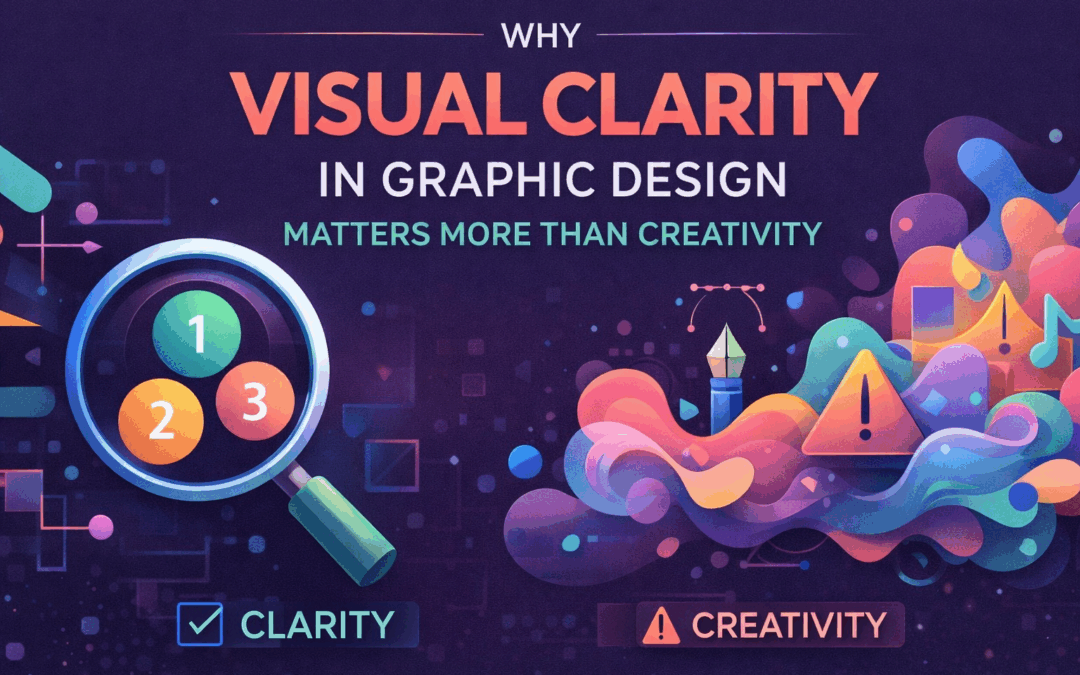
  • Why Visual Clarity in Graphic Design Matters More Than Creativity

    Why Visual Clarity in Graphic Design Matters More Than Creativity

    [et_pb_section fb_built=”1″ _builder_version=”4.24.2″ _module_preset=”default” global_colors_info=”{}” theme_builder_area=”post_content”][et_pb_row _builder_version=”4.24.2″ _module_preset=”default” global_colors_info=”{}” theme_builder_area=”post_content”][et_pb_column type=”4_4″ _builder_version=”4.24.2″ _module_preset=”default” global_colors_info=”{}” theme_builder_area=”post_content”][et_pb_text _builder_version=”4.24.2″ _module_preset=”default” custom_padding=”5px|||||” inline_fonts=”Abril Fatface” global_colors_info=”{}” theme_builder_area=”post_content”]

    Why Visual Clarity Is More Important Than Creativity in Graphic Design

    Introduction: When Design Looks Good but Fails to Work

    Graphic design is often misunderstood as an exercise in creativity—bold colors, unique layouts, eye-catching visuals. While creativity is important, it is not the primary job of a graphic designer. The real job is communication. And communication fails without clarity.

    This is why visual clarity in graphic design matters more than creativity. A design can be beautiful, innovative, and visually impressive, yet still fail if the audience doesn’t understand the message. In professional design—branding, marketing, UI, or print—clarity is what makes design effective.

    What Visual Clarity in Graphic Design Really Means

    Visual clarity in graphic design is the ability of a design to communicate its message instantly and effortlessly. It ensures that viewers understand:

    • What they are looking at
    • What is important
    • What action to take

    Clarity is achieved through hierarchy, spacing, alignment, typography, contrast, and simplicity. It is not about removing creativity—it is about directing creativity toward communication.

    When clarity is strong, users don’t have to think. They simply understand.

    Creativity Without Clarity Creates Confusion

    Many designs fail not because they lack creativity, but because they prioritize style over meaning. Overly complex layouts, decorative typography, excessive colors, and unnecessary effects can distract from the message.

    Without visual clarity in graphic design, creativity becomes noise. The audience may admire the design for a moment, but they won’t remember the message—or worse, they’ll misunderstand it.

    Good design does not ask users to decode information. It delivers it cleanly and confidently.

    Why the Human Brain Prefers Clarity

    The human brain processes visuals faster than text, but only when information is structured properly. Clear visual hierarchy helps viewers:

    • Scan content quickly
    • Identify key information
    • Make decisions confidently

    This is why visual clarity in graphic design is essential in advertising, branding, and digital products. Users have limited attention. Designs that respect that limitation perform better.

    Creativity should support clarity—not compete with it.

    Visual Clarity in Graphic Design Builds Trust

    Trust is a critical outcome of good design. Clean, clear visuals signal professionalism, reliability, and competence.

    When users encounter cluttered or confusing designs, they subconsciously question the credibility of the brand. On the other hand, designs with strong visual clarity in graphic design feel organized, intentional, and trustworthy.

    This is why banks, healthcare brands, SaaS platforms, and corporate identities prioritize clarity over visual experimentation.

    Creativity vs Communication: The Real Design Battle

    Creativity is often celebrated, but communication is rarely discussed—even though it is the foundation of graphic design.

    A designer’s success is not measured by how unique a design looks, but by how effectively it communicates. Visual clarity in graphic design ensures that creativity enhances meaning rather than obscuring it.

    The best designers don’t eliminate creativity—they channel it with purpose.

    How Professional Designers Prioritize Clarity First

    Experienced designers rarely start with colors or effects. They begin by asking:

    • Who is the audience?
    • What is the message?
    • What is the primary action or takeaway?

    Only after answering these questions do they move into visuals. This clarity-first approach ensures that creativity serves function.

    Professionals understand that visual clarity in graphic design is the foundation upon which creativity can safely exist.

    Real-World Examples Where Clarity Wins

    Many successful brands are not visually complex. Their designs are simple, structured, and easy to understand.

    Think of:

    • Road signs
    • App interfaces
    • Product packaging
    • Brand logos

    These designs rely heavily on visual clarity in graphic design to function in real-world conditions—quick glances, distractions, and limited attention spans.

    Creativity is present, but clarity leads.

    Why Beginners Overvalue Creativity

    New designers often believe that standing out visually is the primary goal. This leads to:

    • Overdesigned layouts
    • Too many fonts and colors
    • Weak hierarchy

    As designers gain experience, they realize that simplicity is harder—and more valuable—than decoration. Visual clarity in graphic design is a skill developed through practice, feedback, and real-world constraints.

    Visual Clarity Does Not Kill Creativity

    A common myth is that clarity makes designs boring. In reality, clarity provides a structure within which creativity can shine.

    When hierarchy is clear and messaging is strong, creativity becomes more impactful—not less. The audience appreciates the design because it works.

    Strong visual clarity in graphic design allows creativity to feel intentional instead of chaotic.

    Why Clients and Studios Prefer Clarity-Driven Designers

    Studios and clients care about results:

    • Engagement
    • Conversions
    • Usability
    • Brand recall

    Designers who understand visual clarity in graphic design consistently deliver these results. That’s why clarity-focused designers are trusted with bigger responsibilities and long-term projects.

    Creativity attracts attention, but clarity delivers value.

    Designing for the Real World, Not Just Portfolios

    Portfolio designs often favor creativity because they are viewed slowly and intentionally. Real-world design is different.

    Users scroll fast. They skim. They multitask.

    This is where visual clarity in graphic design becomes essential. Designs must work in imperfect conditions—not just in ideal presentations.

    How Designers Can Improve Visual Clarity

    Improving clarity requires discipline:

    • Reduce unnecessary elements
    • Strengthen hierarchy
    • Improve spacing and alignment
    • Use typography intentionally
    • Test designs with real users

    Designers who focus on clarity improve faster and create more effective work.

    The Future of Graphic Design Is Clarity-Driven

    As digital content increases, attention becomes more valuable. Designers who master visual clarity in graphic design will stand out—not because their work is louder, but because it is easier to understand.

    The future favors designers who communicate clearly, think strategically, and use creativity with purpose.

    Conclusion: Clarity Is the True Measure of Great Design

    Creativity may impress, but clarity connects. Graphic design exists to communicate, guide, and inform—not just to decorate.

    That is why visual clarity in graphic design matters more than creativity. When clarity leads, creativity follows naturally—and design succeeds.


    [/et_pb_text][/et_pb_column][/et_pb_row][/et_pb_section]

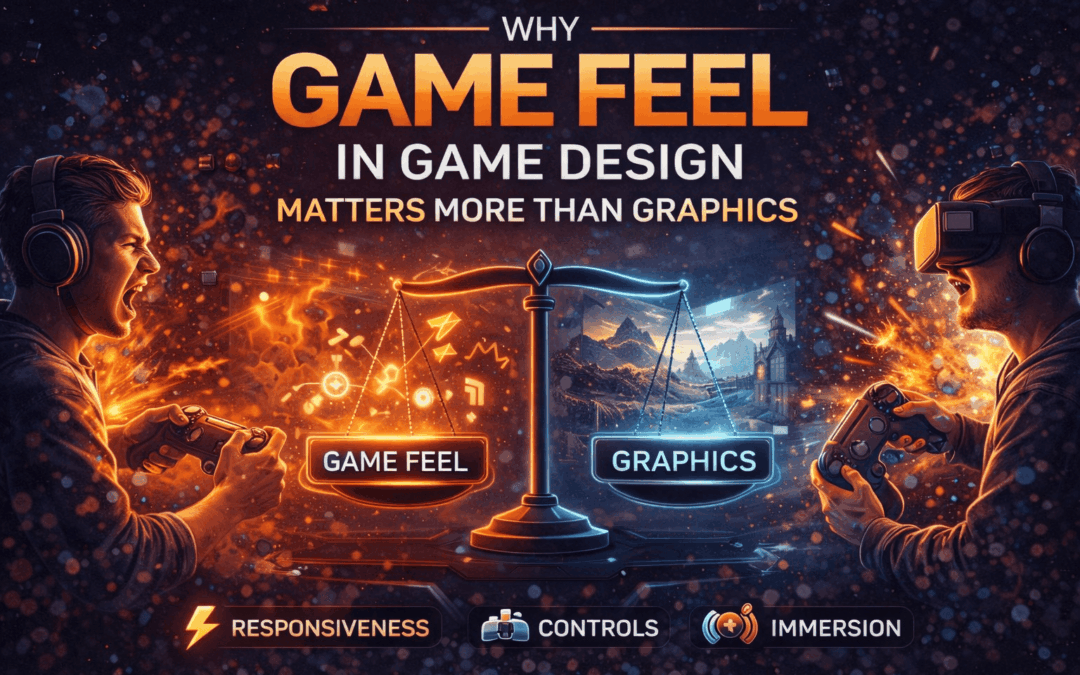
  • Why Game Feel in Game Design Matters More Than Graphics

    Why Game Feel in Game Design Matters More Than Graphics

    [et_pb_section fb_built=”1″ _builder_version=”4.24.2″ _module_preset=”default” global_colors_info=”{}” theme_builder_area=”post_content”][et_pb_row _builder_version=”4.24.2″ _module_preset=”default” global_colors_info=”{}” theme_builder_area=”post_content”][et_pb_column type=”4_4″ _builder_version=”4.24.2″ _module_preset=”default” global_colors_info=”{}” theme_builder_area=”post_content”][et_pb_text _builder_version=”4.24.2″ _module_preset=”default” custom_padding=”5px|||||” inline_fonts=”Abril Fatface” global_colors_info=”{}” theme_builder_area=”post_content”]

    Why Game Feel Matters More Than Graphics in Game Design

    Introduction: What Players Remember After the Screen Turns Off

    When players talk about their favorite games, they rarely say, “That texture resolution was incredible.” Instead, they say things like “The controls felt amazing,” “Every jump was satisfying,” or “Combat just clicked.” These reactions point to something deeper than visuals. They point to game feel in game design.

    Graphics may attract players initially, but game feel is what keeps them playing. It’s the invisible layer that turns mechanics into experiences and inputs into emotions. In modern game design, studios increasingly recognize that a game doesn’t need cutting-edge visuals to be memorable—but it absolutely needs great feel.

    What Is Game Feel in Game Design?

    Game feel in game design refers to how a game responds to player input and how those responses feel emotionally and physically. It includes responsiveness, timing, feedback, motion, sound, and overall control satisfaction.

    Game feel is not a single feature—it’s a combination of:

    • Input responsiveness
    • Character movement and weight
    • Camera behavior
    • Sound effects and feedback
    • Visual cues that reinforce actions

    When all these elements work together, the game feels smooth, intuitive, and rewarding. When they don’t, even the most beautiful graphics can’t save the experience.

    Why Players Feel Before They See

    Human perception is wired to respond to feedback. In games, every button press is a conversation between the player and the system. If the response is delayed, inconsistent, or unclear, the illusion breaks.

    This is where game feel in game design becomes more important than visual fidelity. A simple-looking game with tight controls can feel more immersive than a photorealistic one with sluggish input.

    Players subconsciously evaluate:

    • Did my action matter?
    • Did the game respond instantly?
    • Did it feel satisfying?

    If the answer is yes, players stay engaged—even if the graphics are minimal.

    Game Feel vs Graphics: The Real Comparison

    Graphics are static; game feel is dynamic. Visuals show players what a game looks like, but feel tells them how it behaves.

    High-end graphics can impress in screenshots and trailers, but once gameplay starts, responsiveness takes over. Many visually stunning games struggle to hold players because movement feels stiff or combat lacks impact.

    On the other hand, games with simple art styles often succeed because:

    • Controls are precise
    • Movement feels natural
    • Feedback is immediate

    This is why game feel in game design often becomes the deciding factor between a game that looks good and a game that feels great.

    How Game Feel Is Actually Created

    Great game feel doesn’t happen by accident. It is carefully crafted through multiple design decisions.

    1. Input Responsiveness

    The time between pressing a button and seeing a reaction must be minimal. Even a few milliseconds of delay can make a game feel unresponsive.

    1. Motion and Weight

    How fast a character accelerates, decelerates, jumps, or lands contributes heavily to game feel in game design. Weightless movement feels floaty; overly heavy movement feels slow. The balance defines the experience.

    1. Feedback Systems

    Every action should produce feedback—sound effects, screen shake, animations, or visual effects. These reinforce player actions and make interactions feel impactful.

    1. Consistency

    Controls must behave consistently across situations. Inconsistent responses confuse players and weaken trust in the system.

    Famous Games That Prove Game Feel Matters More Than Graphics

    Many iconic games are remembered not for graphics, but for how they felt to play.

    Games like:

    • Super Mario (precise jumping and momentum)
    • Celeste (tight platforming and responsive controls)
    • Hades (fluid combat and instant feedback)

    These titles prove that game feel in game design creates long-term engagement. Their visuals support the experience—but the feel defines it.

    Why Studios Focus on Game Feel Early

    Professional studios prioritize game feel from the very first prototype. Before polishing visuals, teams test:

    • Movement responsiveness
    • Core mechanics
    • Player comfort

    Grey-box environments and placeholder assets are commonly used because designers want to perfect feel before adding visual complexity. If a mechanic doesn’t feel good in its simplest form, graphics won’t fix it.

    This approach saves time, reduces redesigns, and leads to stronger final products.

    Game Feel and Player Psychology

    Players emotionally connect to games that feel fair and responsive. When actions produce predictable outcomes, players feel in control. This sense of control builds trust and satisfaction.

    Strong game feel in game design:

    • Reduces frustration
    • Increases immersion
    • Encourages mastery

    Players are more forgiving of visual limitations than they are of poor controls. A beautiful game that feels frustrating will be abandoned quickly.

    Indie Games vs AAA: A Common Misconception

    AAA games often invest heavily in visuals, but indie games frequently win praise for gameplay feel. This isn’t because indie developers ignore graphics—it’s because they prioritize feel first.

    Limited budgets force indie teams to focus on:

    • Core mechanics
    • Tight controls
    • Clear feedback

    As a result, many indie titles outperform bigger productions in terms of player satisfaction. This highlights how central game feel in game design truly is.

    Can Great Graphics Compensate for Poor Game Feel?

    Short answer: no.

    Players may tolerate weak visuals if gameplay feels good, but they rarely tolerate poor controls—even in visually stunning games. Bad game feel creates friction, and friction kills engagement.

    This is why many visually impressive games struggle with player retention, while simpler-looking games thrive.

    Improving Game Feel as a Designer

    For aspiring game designers, focusing on game feel in game design is a career-defining skill. It requires:

    • Playtesting constantly
    • Observing player reactions
    • Iterating based on feedback

    Great designers think beyond how a game looks. They ask:

    • How does this action feel?
    • Is the response satisfying?
    • Does the player feel in control?

    Answering these questions leads to better games—regardless of budget.

    The Future of Game Design: Feel-First Thinking

    As technology advances, graphics will continue to improve automatically. But game feel cannot be automated—it must be designed.

    Studios that succeed in the future will be those that design for emotion, responsiveness, and player experience first. Game feel in game design will remain the foundation upon which all great games are built.

    Conclusion: Feel Is the Soul of a Game

    Graphics may create first impressions, but game feel creates lasting memories. It determines whether players enjoy every movement, every action, and every moment they spend in a game.

    In the end, great games are not just seen—they are felt. And that is why game feel in game design matters far more than visuals ever will.


    [/et_pb_text][/et_pb_column][/et_pb_row][/et_pb_section]

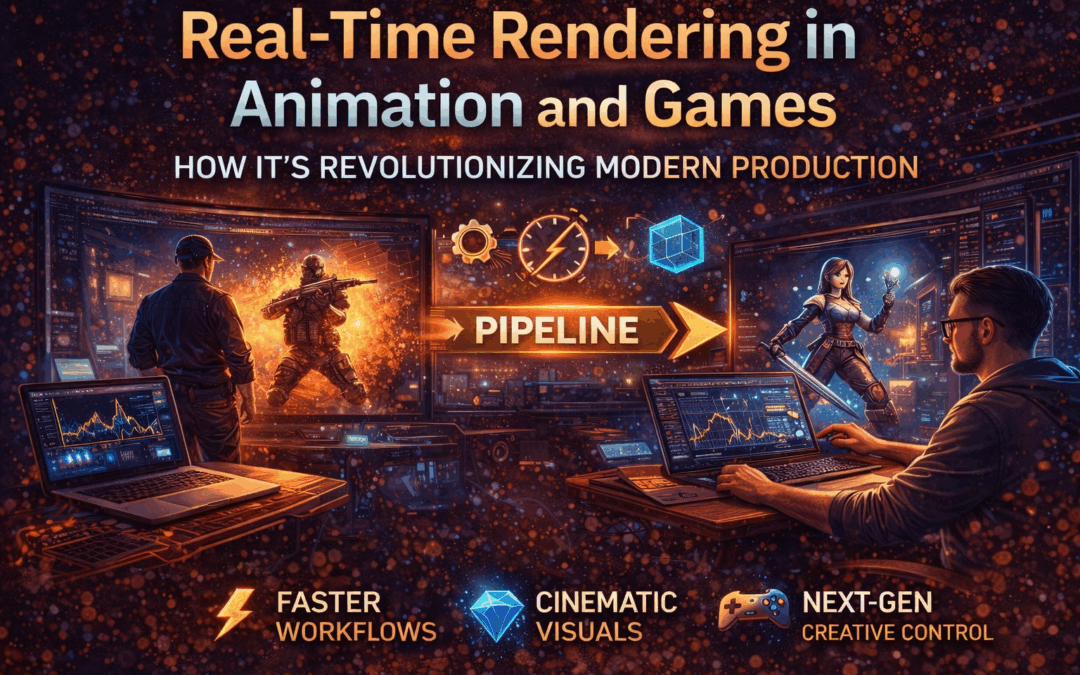
  • Real-Time Rendering in Animation and Games: How It’s Revolutionizing Modern Production

    Real-Time Rendering in Animation and Games: How It’s Revolutionizing Modern Production

    [et_pb_section fb_built=”1″ _builder_version=”4.24.2″ _module_preset=”default” global_colors_info=”{}” theme_builder_area=”post_content”][et_pb_row _builder_version=”4.24.2″ _module_preset=”default” global_colors_info=”{}” theme_builder_area=”post_content”][et_pb_column type=”4_4″ _builder_version=”4.24.2″ _module_preset=”default” global_colors_info=”{}” theme_builder_area=”post_content”][et_pb_text _builder_version=”4.24.2″ _module_preset=”default” custom_padding=”5px|||||” inline_fonts=”Abril Fatface” global_colors_info=”{}” theme_builder_area=”post_content”]

    How Real-Time Rendering Is Revolutionizing Animation & Game Production in 2026

    Not long ago, rendering was the slowest and most painful part of animation and game production. Artists would finish a scene, hit render, and then wait—sometimes hours, sometimes days—just to see the final output.

    Today, that reality is changing fast.

    Real-time rendering is transforming how animations and games are created, reviewed, and delivered. It’s speeding up workflows, cutting production costs, and giving creators something they’ve never truly had before: instant visual feedback.

    Let’s break down how real-time rendering is changing animation and game production—and why it’s becoming a must-have skill for modern creators.

    What Is Real-Time Rendering?

    Real-time rendering is the process of generating images instantly as scenes are created or modified. Instead of waiting for frames to render offline, artists can see lighting, textures, shadows, and animations update live on screen.

    This technology powers:

    • Modern video games
    • Virtual production
    • Interactive animation previews
    • Cinematic cutscenes
    • AR/VR experiences

    Engines like Unreal Engine and Unity are at the heart of this shift, offering near-cinematic visuals at real-time speeds.

    Traditional Rendering vs Real-Time Rendering

    Before understanding the impact, let’s compare the two approaches.

    Traditional (Offline) Rendering

    • Extremely high visual quality
    • Long render times
    • Heavy hardware dependency
    • Limited flexibility for quick changes

    Used in:

    • Feature films
    • High-end VFX shots
    • Pre-rendered cinematics

    Real-Time Rendering

    • Instant visual feedback
    • Faster iteration and decision-making
    • Lower production time
    • Interactive workflows

    Used in:

    • Games
    • Virtual production
    • Animated series
    • Previsualization and previs

    The biggest shift isn’t just speed—it’s how artists think and work.

    How Real-Time Rendering Is Transforming Animation Production

    1. Faster Creative Decisions

    Animators and directors no longer need to imagine the final output. They can see it instantly, tweak lighting or camera angles, and make creative decisions on the spot.

    This reduces:

    • Rework
    • Miscommunication
    • Last-minute fixes
    1. Real-Time Lighting & Cinematography

    Lighting used to be finalized late in production. Now, lighting artists can experiment live—adjusting mood, time of day, and atmosphere in seconds.

    This brings animation closer to live-action filmmaking.

    1. Cost-Effective Pipelines

    Smaller studios can now produce high-quality animation without massive render farms. Real-time rendering lowers hardware and time costs, making professional animation more accessible.

    1. Better Collaboration

    Teams can review scenes together in real time—whether in-studio or remotely—leading to faster approvals and clearer feedback.

    How Real-Time Rendering Is Changing Game Production

    Game development has always relied on real-time graphics, but the leap in visual quality has been massive.

    1. Cinematic Quality in Games

    Modern real-time engines now support:

    • Ray tracing
    • Global illumination
    • High-fidelity character shading

    This allows games to look closer than ever to animated films.

    1. Faster Iteration for Developers

    Game designers, animators, and programmers can test mechanics, animations, and environments instantly—without rebuilding assets repeatedly.

    This speeds up:

    • Level design
    • Gameplay testing
    • Animation blending
    1. One Pipeline, Multiple Outputs

    Assets created for games can now be reused for:

    • Cinematic trailers
    • Marketing videos
    • Virtual experiences

    This unified workflow saves both time and money.

    Why Studios Are Rapidly Adopting Real-Time Rendering

    Studios aren’t switching just because it’s trendy—they’re switching because it solves real problems.

    Key benefits include:

    • Shorter production cycles
    • Reduced rendering costs
    • Faster client approvals
    • More creative freedom
    • Better alignment between art and tech teams

    From indie studios to major production houses, real-time rendering in animation and game production is becoming the new standard.

    Real-Time Rendering in Virtual Production

    One of the biggest breakthroughs is virtual production, where animated environments are rendered live on LED walls during filming.

    This technique:

    • Eliminates green screens
    • Provides real lighting on actors
    • Allows directors to visualize final shots on set

    Animation, VFX, and live-action are now blending into a single workflow.

    Skills Creators Need to Stay Relevant

    As real-time pipelines grow, studios look for artists who understand both creativity and technology.

    High-demand skills include:

    • Unreal Engine / Unity
    • Real-time lighting
    • PBR workflows
    • Optimization techniques
    • Shader basics
    • Performance-aware animation

    Artists who adapt early gain a serious career advantage.

    Career Opportunities Created by Real-Time Rendering

    This shift is opening doors to new roles such as:

    • Real-Time Technical Artist
    • Virtual Production Artist
    • Environment Artist (Real-Time)
    • Game Cinematic Animator
    • Interactive Experience Designer

    These roles sit at the intersection of animation, VFX, and game design—and demand is rising fast.

    The Future of Real-Time Rendering in Animation and Game Production

    Looking ahead, real-time rendering will only get more powerful.

    We can expect:

    • Higher visual realism
    • Smarter AI-assisted workflows
    • Deeper integration with AR/VR
    • Faster global collaboration
    • Real-time final-quality outputs

    The line between “preview” and “final render” is disappearing—and that’s a massive shift for the industry.

    Final Thoughts

    Real-time rendering isn’t just a technical upgrade—it’s a creative revolution.

    It changes how stories are visualized, how teams collaborate, and how quickly ideas turn into finished content. For animators, game developers, and VFX artists, understanding real-time workflows is no longer optional—it’s essential.

    Those who embrace it today will shape the future of animation and game production tomorrow.


    [/et_pb_text][/et_pb_column][/et_pb_row][/et_pb_section]

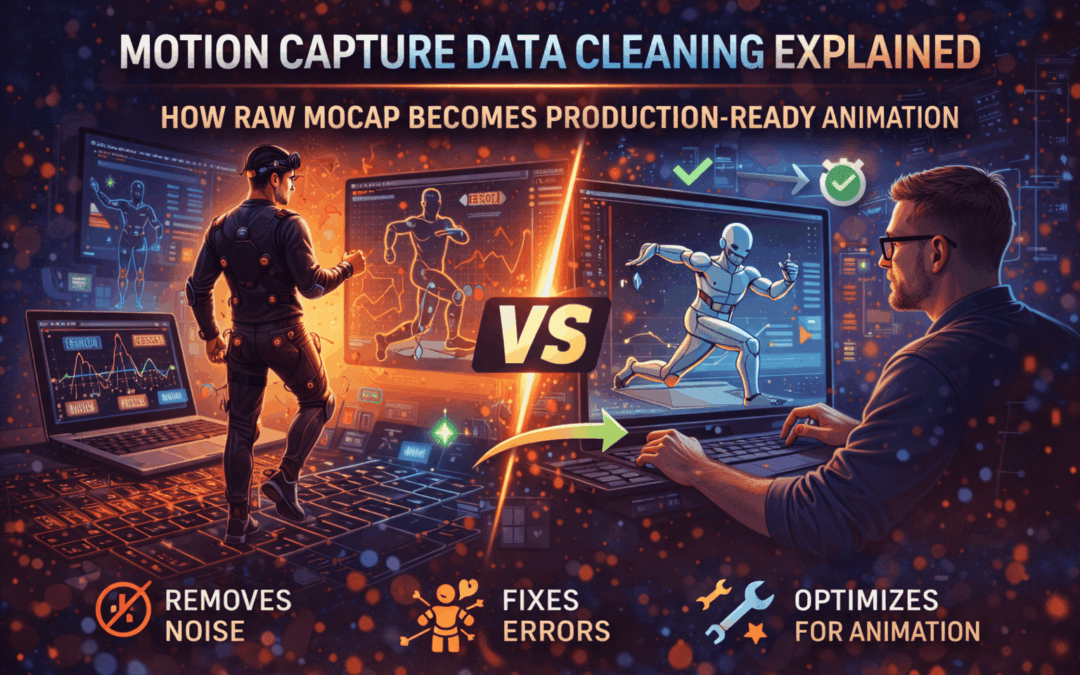
  • Motion Capture Data Cleaning Explained: How Raw Mocap Becomes Production-Ready Animation

    Motion Capture Data Cleaning Explained: How Raw Mocap Becomes Production-Ready Animation

    [et_pb_section fb_built=”1″ _builder_version=”4.24.2″ _module_preset=”default” global_colors_info=”{}” theme_builder_area=”post_content”][et_pb_row _builder_version=”4.24.2″ _module_preset=”default” global_colors_info=”{}” theme_builder_area=”post_content”][et_pb_column type=”4_4″ _builder_version=”4.24.2″ _module_preset=”default” global_colors_info=”{}” theme_builder_area=”post_content”][et_pb_text _builder_version=”4.24.2″ _module_preset=”default” custom_padding=”5px|||||” inline_fonts=”Abril Fatface” global_colors_info=”{}” theme_builder_area=”post_content”]

    How Motion Capture Data Is Cleaned, Optimized & Animated

    Motion capture has transformed the animation industry by bringing realistic human movement into films, games, and immersive experiences. However, raw motion capture files are far from production-ready. Before an animator can use them, extensive processing is required. This is where motion capture data cleaning becomes a critical technical step in the animation pipeline.

    In professional studios, motion capture is not just about recording movement—it’s about refining that data until it becomes usable, believable, and expressive. This blog explains how motion capture data is cleaned, optimized, and finally animated for real-world production.

    Understanding Raw Motion Capture Data

    Motion capture systems record movement using markers, sensors, or cameras. While the performance may look smooth during recording, the captured data usually contains:

    • Marker jitter
    • Occlusion gaps
    • Foot sliding
    • Unnatural joint rotations
    • Noise caused by sensor errors

    Raw data is essentially a rough draft of motion. Without proper motion capture data cleaning, these imperfections can break realism and ruin animation quality.

    Why Motion Capture Data Cleaning Is Essential

    Studios invest heavily in motion capture, but they invest even more time in cleaning it. The reason is simple: unclean data cannot be animated properly.

    Key reasons why motion capture data cleaning is necessary:

    • Ensures realistic motion
    • Prevents unnatural character behavior
    • Improves retargeting accuracy
    • Reduces animation bugs in games
    • Saves time during final animation polish

    In high-end productions, cleaning may take longer than the recording session itself.

    Common Problems Found in Motion Capture Data

    Before optimization begins, animators identify issues such as:

    1. Marker Jitter

    Small vibrations or shaking caused by tracking inaccuracies.

    1. Data Gaps

    Markers temporarily disappear due to occlusion or camera loss.

    1. Foot Sliding

    Feet appear to slide instead of staying planted on the ground.

    1. Joint Flipping

    Sudden unnatural rotation of joints like elbows or knees.

    1. Scale & Proportion Issues

    Mismatch between performer and digital character.

    All of these must be addressed during motion capture data cleaning.

    Motion Capture Data Cleaning Techniques Used in Studios

    1. Filtering and Smoothing Motion Data

    Low-pass filters are applied to remove jitter while preserving natural movement. Studios carefully balance smoothing so the motion doesn’t feel robotic.

    1. Gap Filling & Marker Reconstruction

    Missing marker data is reconstructed using:

    • Neighboring marker behavior
    • Skeleton constraints
    • Manual animator corrections

    This step is crucial in professional motion capture data cleaning workflows.

    1. Foot Locking & Contact Fixes

    Animators manually lock feet during contact frames to eliminate sliding. This is essential for believable walking and running cycles.

    Motion Capture Data Optimization for Production

    Once cleaned, the data must be optimized before animation use.

    Reducing Keyframe Density

    Motion capture generates thousands of keyframes. Studios optimize curves by:

    • Removing redundant keys
    • Preserving motion accuracy
    • Improving playback performance

    Skeleton Retargeting Optimization

    Motion data is mapped from the actor’s skeleton to the character rig. Optimization ensures:

    • Correct joint orientation
    • Natural limb movement
    • Proper scale adaptation

    Without proper motion capture data cleaning and optimization, retargeting results can look broken.

    How Cleaned Motion Capture Data Is Animated

    Blending Mocap with Hand Animation

    Studios rarely use raw mocap alone. Animators:

    • Enhance facial expressions
    • Exaggerate key poses
    • Add emotional nuance

    Motion capture provides realism, but animation provides storytelling.

    Performance Enhancement

    Animators adjust timing, spacing, and exaggeration to match the character’s personality. This is where mocap transforms into true animation.

    Motion Capture Data Cleaning in Games vs Films

    Film & Cinematics

    • Higher accuracy
    • More manual polish
    • Heavy performance enhancement

    Games & Real-Time Engines

    • Optimized for performance
    • Reduced keyframes
    • Engine-friendly motion loops

    Both pipelines rely heavily on motion capture data cleaning, but the goals differ.

    Tools Used for Motion Capture Data Cleaning

    Professional studios commonly use:

    • Autodesk MotionBuilder
    • Maya (Graph Editor & HumanIK)
    • Blender
    • Unreal Engine Control Rig
    • Custom studio tools

    Each tool supports different stages of motion capture data cleaning and optimization.

    Why Clean Mocap Data Saves Time & Cost

    Poorly cleaned data causes:

    • Animation rework
    • Game bugs
    • Unrealistic character motion
    • Pipeline delays

    Clean data:

    • Improves animation quality
    • Speeds up production
    • Reduces downstream errors

    This is why studios treat motion capture data cleaning as a specialized skill.

    Skills Required to Work with Motion Capture Data

    To work professionally with mocap, artists must understand:

    • Human anatomy
    • Animation principles
    • Rigging basics
    • Graph editor mastery
    • Technical problem-solving

    Mocap is both technical and artistic.

    The Future of Motion Capture Data Processing

    AI-based tools are emerging to automate parts of motion capture data cleaning, but human judgment remains irreplaceable. Studios still rely on skilled animators to refine performance and emotion.

    Technology evolves—but clean animation fundamentals remain constant.

    Conclusion

    Motion capture is not a shortcut—it’s a foundation. Without proper motion capture data cleaning, even the best performances fall apart. Cleaning, optimizing, and animating mocap data is a crucial technical process that transforms raw movement into believable digital life.

    For anyone serious about animation, VFX, or game development, understanding motion capture data cleaning is not optional—it’s essential.


    [/et_pb_text][/et_pb_column][/et_pb_row][/et_pb_section]

  • Powerful Storytelling in Animation: Why Story Matters More Than Visual Effects

    Powerful Storytelling in Animation: Why Story Matters More Than Visual Effects

    [et_pb_section fb_built=”1″ _builder_version=”4.24.2″ _module_preset=”default” global_colors_info=”{}” theme_builder_area=”post_content”][et_pb_row _builder_version=”4.24.2″ _module_preset=”default” global_colors_info=”{}” theme_builder_area=”post_content”][et_pb_column type=”4_4″ _builder_version=”4.24.2″ _module_preset=”default” global_colors_info=”{}” theme_builder_area=”post_content”][et_pb_text _builder_version=”4.24.2″ _module_preset=”default” custom_padding=”5px|||||” inline_fonts=”Abril Fatface” global_colors_info=”{}” theme_builder_area=”post_content”]

    How Storytelling Drives Animation More Than Visual Effects

    When people think of animation, they often imagine stunning visuals, complex effects, and cutting-edge software. While these elements matter, they are not what truly connects an audience to an animated film, series, or advertisement. At its core, animation succeeds because of story. In fact, storytelling in animation plays a far greater role than visual effects in creating memorable and impactful experiences.

    No matter how advanced the tools become, audiences respond first to emotions, characters, and meaning. Visual effects enhance animation, but storytelling gives it purpose. This is why the strongest animated projects remain timeless even when technology evolves.

    Why Animation Exists Beyond Visual Spectacle

    Animation was never meant to be just a technical showcase. From early hand-drawn films to modern CGI, animation has always been a medium for storytelling. The reason classics remain relevant is not their effects, but the stories they tell.

    Professionals understand that storytelling in animation defines:

    • Emotional engagement
    • Character relatability
    • Narrative clarity
    • Audience retention

    Without a compelling story, even the most visually impressive animation feels empty.

    Story Comes Before Style in Professional Animation

    In professional studios, story decisions are made long before visual styles are finalized. This is a fundamental truth behind storytelling in animation.

    Before production begins, teams focus on:

    • Story structure
    • Character arcs
    • Emotional beats
    • Narrative pacing

    Only after these elements are clear do visual designers and animators step in. This ensures that every visual choice supports the story rather than distracting from it.

    How Storytelling in Animation Shapes Character Design

    Characters are the emotional anchors of animation. Strong characters are not defined by how detailed they look, but by how well they are written and animated.

    Effective storytelling in animation ensures that:

    • Character designs reflect personality
    • Movements communicate emotion
    • Expressions support narrative intent

    Audiences connect with characters who feel real, not necessarily realistic. This connection is built through storytelling, not effects.

    Visual Effects Support the Story—They Don’t Lead It

    Visual effects are tools, not the message. When effects dominate storytelling, the narrative often suffers. This is why experienced studios treat effects as supporting elements.

    In strong storytelling in animation, effects are used to:

    • Enhance mood
    • Highlight key moments
    • Strengthen emotional impact

    Effects that exist without narrative purpose rarely leave a lasting impression.

    Why Emotional Impact Matters More Than Visual Complexity

    Audiences remember how a story made them feel, not how complex the visuals were. Emotional moments stay with viewers long after the animation ends.

    This is where storytelling in animation proves its power. Through pacing, silence, timing, and performance, animators can evoke emotions that visuals alone cannot achieve.

    A simple scene with strong emotional storytelling often outperforms a visually dense but emotionally hollow sequence.

    The Role of Timing and Pacing in Storytelling

    Timing is one of the most underrated storytelling tools in animation. How long a moment lasts, when a character reacts, and how scenes transition all affect storytelling.

    Strong storytelling in animation relies on:

    • Proper scene timing
    • Controlled pacing
    • Intentional pauses

    These elements guide the audience’s emotional journey more effectively than visual effects ever could.

    Storyboards: Where Storytelling Truly Begins

    Storyboards are the blueprint of animated storytelling. They translate scripts into visual narratives and reveal story flaws early.

    In studios, storyboarding is a critical step in storytelling in animation because it:

    • Tests narrative clarity
    • Defines shot composition
    • Establishes emotional flow

    If the story doesn’t work at the storyboard stage, no amount of visual effects can fix it later.

    Why Simple Stories Often Create the Strongest Animation

    Some of the most successful animated projects use simple storylines. Their power lies in execution, not complexity.

    This highlights an important lesson in storytelling in animation:

    • Clear stories resonate better
    • Simple narratives allow deeper emotional focus
    • Audiences connect faster

    Complex visuals cannot compensate for unclear storytelling.

    Storytelling Guides Animation Performance

    Animation is performance-based. Every movement, expression, and gesture is a storytelling decision.

    Through effective storytelling in animation, animators ensure that:

    • Actions reflect inner emotions
    • Body language supports dialogue
    • Movement feels motivated

    This performance-driven approach creates believable and engaging animation, even with minimal effects.

    Why Studios Prioritize Story in Production Pipelines

    In professional pipelines, story reviews happen continuously. Studios constantly evaluate whether visuals are serving the narrative.

    This reinforces the importance of storytelling in animation across production stages:

    • Pre-production focuses on story structure
    • Production ensures story consistency
    • Post-production refines emotional impact

    Story remains the guiding force throughout the pipeline.

    Visual Effects Without Story Feel Disposable

    Animation overloaded with effects often feels impressive for a moment, then forgotten. Without story, visuals lack meaning.

    Strong storytelling in animation ensures longevity. Stories stay relevant even when technology becomes outdated. This is why older animated films continue to resonate with new generations.

    What Aspiring Animators Must Understand

    For beginners, focusing only on software and effects is a common mistake. Learning storytelling fundamentals is what truly elevates animation skills.

    Understanding storytelling in animation helps animators:

    • Make better creative decisions
    • Communicate ideas clearly
    • Create emotionally engaging work

    Studios value animators who can tell stories, not just execute effects.

    The Future of Animation Is Story-Driven

    As tools become more accessible and effects more advanced, storytelling becomes the true differentiator. Anyone can learn software, but not everyone can tell a compelling story.

    The future of animation belongs to creators who master storytelling in animation and use technology to enhance—not replace—it.

    Final Thoughts

    Visual effects may attract attention, but storytelling holds it. The most successful animated projects are remembered not for how they looked, but for how they made audiences feel.

    Storytelling in animation is what gives visuals meaning, characters depth, and moments emotional power. Effects evolve, tools change, but strong storytelling remains timeless.

    For anyone serious about animation, mastering storytelling is not optional—it is essential.


    [/et_pb_text][/et_pb_column][/et_pb_row][/et_pb_section]

  • Smart VFX Planning Process: Why Successful Studios Plan Before Creating Effects

    Smart VFX Planning Process: Why Successful Studios Plan Before Creating Effects

    [et_pb_section fb_built=”1″ _builder_version=”4.24.2″ _module_preset=”default” global_colors_info=”{}” theme_builder_area=”post_content”][et_pb_row _builder_version=”4.24.2″ _module_preset=”default” global_colors_info=”{}” theme_builder_area=”post_content”][et_pb_column type=”4_4″ _builder_version=”4.24.2″ _module_preset=”default” global_colors_info=”{}” theme_builder_area=”post_content”][et_pb_text _builder_version=”4.24.2″ _module_preset=”default” custom_padding=”5px|||||” inline_fonts=”Abril Fatface” global_colors_info=”{}” theme_builder_area=”post_content”]

    Why VFX Work Is More About Planning Than Effects

    In the public imagination, VFX is often associated with explosive visuals, jaw-dropping CGI creatures, and seamless green-screen magic. While these final visuals are impressive, they represent only the surface of a much deeper process. In reality, successful visual effects depend far more on preparation than post-production wizardry. The vfx planning process is what separates chaotic projects from cinematic masterpieces.

    From blockbuster films to OTT series and commercials, studios that consistently deliver high-quality VFX rely on meticulous planning long before a single frame is animated or rendered. Effects don’t save bad planning—planning makes great effects possible.

    The Reality of Modern VFX Production

    VFX today is deeply integrated into storytelling, cinematography, and production workflows. Unlike earlier times when effects were added at the end, modern pipelines require effects teams to be involved from the earliest stages of a project. This shift has made the vfx planning process a core responsibility rather than an optional step.

    Studios now ask critical questions upfront:

    • What shots truly need VFX?
    • What can be achieved practically on set?
    • How will assets be reused across sequences?
    • What is the technical complexity of each shot?

    Answering these early determines budget, timelines, team size, and creative feasibility.

    Why Planning Defines the Success of VFX

    Many beginners believe that powerful software or skilled artists alone can solve any problem. In professional environments, however, poor planning leads to missed deadlines, ballooning budgets, and compromised quality. The vfx planning process ensures that creative ambition aligns with technical and financial reality.

    Planning allows studios to:

    • Reduce unnecessary revisions
    • Avoid re-rendering entire sequences
    • Maintain visual consistency
    • Coordinate seamlessly with live-action teams

    Without a structured approach, even the most talented artists struggle to deliver results.

    Pre-Production: Where VFX Actually Begins

    Contrary to popular belief, VFX work starts long before post-production. Pre-production is where most creative and technical decisions are locked. This phase forms the backbone of the vfx planning process.

    Key pre-production activities include:

    • Script breakdown for VFX shots
    • Concept art and visual references
    • Storyboards and animatics
    • Technical feasibility analysis
    • Budget and timeline estimation

    These steps allow directors, producers, and VFX supervisors to visualize challenges early instead of reacting later.

    The Role of VFX Supervisors in Planning

    VFX supervisors act as the bridge between creative vision and execution. Their involvement early in the vfx planning process ensures that directors’ ideas can be realistically achieved.

    They collaborate closely with:

    • Directors and cinematographers
    • Production designers
    • Stunt coordinators
    • Post-production teams

    By guiding decisions on camera angles, lighting setups, and set construction, supervisors prevent issues that could otherwise multiply during post-production.

    On-Set Decisions That Shape Final Effects

    Many VFX problems originate on set due to lack of planning. Incorrect camera data, poor lighting references, or inconsistent green screens can cost weeks of extra work later. A strong vfx planning process ensures that on-set execution supports post-production needs.

    Critical on-set considerations include:

    • Camera tracking markers
    • HDRI lighting capture
    • Clean plate photography
    • Accurate measurements
    • Proper lens data recording

    These details may seem minor during filming, but they define how realistic the final effects appear.

    Asset Planning: The Hidden Backbone of VFX Planning Process

    Assets are reusable digital elements such as characters, environments, vehicles, or props. Poor asset planning often leads to redundant work and inconsistent visuals. In professional studios, asset creation is tightly linked to the vfx planning process.

    Effective asset planning involves:

    • Identifying reusable assets early
    • Defining quality levels based on shot type
    • Organizing naming conventions and versions
    • Aligning assets with pipeline requirements

    This approach saves time, reduces confusion, and ensures scalability across sequences.

    Shot Breakdown and Technical Forecasting

    Every VFX shot carries a different level of complexity. Some require basic compositing, while others involve simulations, animations, and advanced lighting. The vfx planning process includes breaking down each shot to predict effort and resources accurately.

    Studios evaluate:

    • Simulation needs (fire, smoke, water)
    • Animation complexity
    • Rendering requirements
    • Compositing layers
    • Review and approval cycles

    This foresight helps production managers allocate tasks realistically and avoid last-minute panic.

    Budget Control Through Smart Planning

    One of the biggest misconceptions is that VFX costs escalate due to creativity. In reality, costs increase due to poor planning. A structured vfx planning process allows studios to optimize budgets without sacrificing quality.

    Planning helps by:

    • Prioritizing hero shots
    • Reducing unnecessary iterations
    • Avoiding last-minute creative changes
    • Choosing cost-effective techniques

    Studios that plan well often deliver better visuals at lower costs than those relying on post-production fixes.

    Collaboration Across Departments

    VFX does not exist in isolation. It intersects with art, cinematography, sound, editing, and production design. The vfx planning process ensures all departments are aligned from day one.

    This alignment:

    • Prevents conflicting creative decisions
    • Improves communication
    • Reduces reshoots
    • Enhances storytelling consistency

    When departments collaborate early, VFX becomes a storytelling tool rather than a patchwork solution.

    Why Effects Come Last, Not First

    Spectacular effects are the result of disciplined execution, not spontaneous creativity. When planning is done right, effects become predictable, manageable, and scalable. The vfx planning process allows artists to focus on creativity instead of firefighting technical issues.

    Great VFX feels invisible because it supports the story naturally. That invisibility is achieved through careful planning, not excessive effects.

    Skills the Industry Now Values Most

    As the industry evolves, studios increasingly value professionals who understand planning, not just software. Knowledge of the vfx planning process has become a key hiring factor.

    In-demand skills include:

    • Script and shot analysis
    • Pipeline understanding
    • Cross-department communication
    • Problem anticipation
    • Technical decision-making

    This shift reflects the industry’s focus on efficiency and quality over brute force execution.

    The Future of VFX Is Planning-Driven

    With tighter budgets, faster timelines, and rising audience expectations, the importance of planning will only increase. AI tools, virtual production, and real-time rendering are all powerful—but only when integrated through a strong vfx planning process.

    Studios that master planning will consistently outperform those relying solely on post-production brilliance.

    Final Thoughts

    VFX is not about fixing problems later—it’s about preventing them early. Behind every seamless effect lies a carefully thought-out strategy. The vfx planning process is the invisible force that transforms creative ideas into believable visual experiences.

    For aspiring artists, understanding planning is just as important as mastering software. For studios, planning is no longer optional—it is the foundation of sustainable, high-quality visual effects.


    [/et_pb_text][/et_pb_column][/et_pb_row][/et_pb_section]

  • How Top UI/UX Designers Think Before Designing a Single Screen

    How Top UI/UX Designers Think Before Designing a Single Screen

    [et_pb_section fb_built=”1″ _builder_version=”4.24.2″ _module_preset=”default” global_colors_info=”{}” theme_builder_area=”post_content”][et_pb_row _builder_version=”4.24.2″ _module_preset=”default” global_colors_info=”{}” theme_builder_area=”post_content”][et_pb_column type=”4_4″ _builder_version=”4.24.2″ _module_preset=”default” global_colors_info=”{}” theme_builder_area=”post_content”][et_pb_text _builder_version=”4.24.2″ _module_preset=”default” custom_padding=”5px|||||” inline_fonts=”Abril Fatface” global_colors_info=”{}” theme_builder_area=”post_content”]

    How Top UI/UX Designers Think Before Designing a Single Screen

    Introduction

    Great UI/UX design does not begin with pixels, colors, or layouts. It begins with thinking. Before opening any design tool, experienced designers spend time understanding the problem they are solving. This mindset defines how top UI UX designers think and why their work feels intuitive, purposeful, and effective.

    Many beginners rush into visual design, but professionals know that strong UI/UX outcomes depend on clarity, research, and strategy. Understanding how top UI UX designers think before designing a single screen can dramatically improve the quality of your design work and decision-making.

    This blog breaks down the professional thinking process that happens long before the first screen is designed.

    UI/UX Design Is About Solving Problems, Not Just Creating Screens

    One of the most important principles behind how top UI UX designers think is viewing design as problem-solving rather than decoration.

    Before designing a screen, professionals ask:

    • What user problem are we solving?
    • Why does this problem exist?
    • What happens if this problem is not solved?

    This mindset helps designers focus on outcomes instead of appearances. A screen that looks beautiful but fails to solve a real problem is not good UI/UX design.

    How Top UI UX Designers Think About Users Before Design

    Understanding users is central to how top UI UX designers think. Before creating any layout, they step into the user’s perspective.

    They try to understand:

    • User goals
    • User pain points
    • User behavior patterns
    • Emotional responses

    Top designers design for real people, not assumptions. This empathy-driven approach ensures that every design decision supports usability and clarity.

    Research Is a Non-Negotiable Step

    Another defining factor in how top UI UX designers think is their commitment to research. They don’t rely on guesswork.

    Before designing a single screen, they conduct:

    • User interviews
    • Market research
    • Competitor analysis
    • Product audits

    Research provides evidence for design decisions. It reduces bias and ensures the final design aligns with user expectations and business goals.

    Understanding Business Goals Before UI Decisions

    UI/UX design exists within a business context. One reason how top UI UX designers think differently is their ability to balance user needs with business objectives.

    They ask questions like:

    • What is the business trying to achieve?
    • How will this screen support conversions or engagement?
    • What metrics define success?

    This thinking ensures that design decisions contribute to real-world outcomes, not just aesthetics.

    Information Architecture Comes Before Visual Design

    Before designing a single screen, top designers focus on structure. This step is a key part of how top UI UX designers think.

    They plan:

    • Content hierarchy
    • Navigation structure
    • User flow

    If the structure is unclear, no amount of visual polish can fix the experience. Strong information architecture makes interfaces feel intuitive and predictable.

    Why Wireframing Is Central to How Top UI UX Designers Think

    Wireframes allow designers to think in terms of function rather than style. This is a core habit in how top UI UX designers think before visual design.

    Wireframes help designers:

    • Test layouts quickly
    • Validate user flows
    • Identify usability issues early

    By removing visual distractions, designers focus entirely on usability and logic.

    Constraints Shape Better Design Thinking

    Top designers understand that constraints improve creativity. A major aspect of how top UI UX designers think is working within real-world limitations.

    They consider:

    • Technical feasibility
    • Development timelines
    • Platform guidelines
    • Budget constraints

    Designing with constraints in mind leads to solutions that are practical, scalable, and implementable.

    Collaboration Before Creation

    UI/UX design is never a solo effort. Another key part of how top UI UX designers think is early collaboration.

    Before designing a screen, they communicate with:

    • Product managers
    • Developers
    • Stakeholders

    This alignment prevents misunderstandings and ensures everyone shares the same vision.

    Testing Ideas Before Final Screens

    Professional designers validate ideas early. How top UI UX designers think involves testing assumptions before committing to final designs.

    They use:

    • Low-fidelity prototypes
    • Quick usability tests
    • Early user feedback

    This approach reduces rework and leads to more confident design decisions.

    Thinking in User Journeys, Not Screens

    Top designers don’t design isolated screens. A defining principle of how top UI UX designers think is focusing on complete user journeys.

    They consider:

    • Entry points
    • Transitions between screens
    • Emotional flow across the experience

    This ensures consistency and smooth interactions throughout the product.

    Tools Come Last, Thinking Comes First

    Design tools change, but thinking remains timeless. One reason top designers stay relevant is because how top UI/UX designers think is independent of tools.

    Strong thinking skills allow designers to:

    • Adapt to new software
    • Solve complex problems
    • Create meaningful experiences

    Tools support design—but thinking drives it.

    What Beginners Can Learn From This Thinking Approach

    Aspiring designers can improve quickly by adopting the same mindset.

    Learning how top UI UX designers think means:

    • Asking better questions
    • Designing with purpose
    • Prioritizing users over visuals
    • Planning before execution

    This mindset builds stronger portfolios and long-term careers.

    Why This Thinking Process Defines Professional Designers

    The real difference between beginners and professionals is not creativity—it’s thinking.

    Beginners focus on:

    • Visual trends
    • UI effects
    • Tool mastery

    Professionals focus on:

    • User clarity
    • Business alignment
    • Problem-solving

    This difference clearly explains how top UI UX designers think at a professional level.

    Conclusion

    Before a single screen is designed, top UI UX designers invest time in understanding users, problems, and goals. This invisible work defines the success of their designs.

    Understanding how top UI UX designers think helps designers move beyond surface-level visuals and create experiences that truly work. By adopting this thinking-first approach, designers can build products that are usable, meaningful, and impactful—long before the first screen is designed.


    [/et_pb_text][/et_pb_column][/et_pb_row][/et_pb_section]

  • Why Game Design Career Opportunities Are Booming in the Creative Industry

    Why Game Design Career Opportunities Are Booming in the Creative Industry

    [et_pb_section fb_built=”1″ _builder_version=”4.24.2″ _module_preset=”default” global_colors_info=”{}” theme_builder_area=”post_content”][et_pb_row _builder_version=”4.24.2″ _module_preset=”default” global_colors_info=”{}” theme_builder_area=”post_content”][et_pb_column type=”4_4″ _builder_version=”4.24.2″ _module_preset=”default” global_colors_info=”{}” theme_builder_area=”post_content”][et_pb_text _builder_version=”4.24.2″ _module_preset=”default” custom_padding=”5px|||||” inline_fonts=”Abril Fatface” global_colors_info=”{}” theme_builder_area=”post_content”]

    Why Game Design Is One of the Most In-Demand Creative Careers

    Introduction

    The global gaming industry has grown far beyond entertainment. Games are now a major part of digital culture, education, marketing, and even social interaction. With this rapid expansion, the demand for skilled game designers has increased significantly. As a result, game design career opportunities are becoming more attractive than ever for creative professionals.

    Game design is no longer limited to big studios or console games. Mobile gaming, AR/VR experiences, indie games, and serious games for education and training have opened countless new paths. Understanding why game design career opportunities are growing helps aspiring designers make informed career decisions in 2025 and beyond.

    The Rapid Growth of the Gaming Industry

    One of the biggest reasons behind the rise in game design demand is the explosive growth of the gaming industry. Today, gaming is larger than the film and music industries combined.

    This growth directly impacts game design career opportunities because:

    • More games are being developed every year
    • New platforms are constantly emerging
    • Companies need fresh, engaging game experiences

    As long as people play games, skilled designers will remain in demand.

    Games Are Everywhere, Not Just for Entertainment

    Modern games are used far beyond fun and leisure. Game-based learning, simulations, and interactive experiences are now common across industries.

    This expansion has created new game design career opportunities in:

    • Education and e-learning platforms
    • Healthcare simulations
    • Corporate training tools
    • Marketing and brand engagement

    Game designers today work in diverse fields, making the career more stable and versatile.

    Understanding the Role of a Game Designer

    Many beginners think game designers only focus on visuals. In reality, game design is about creating engaging player experiences.

    Game designers work on:

    • Gameplay mechanics
    • Rules and systems
    • Player progression
    • Level structure
    • Balance and difficulty

    Because this role requires both creativity and logic, game design career opportunities appeal to a wide range of creative thinkers.

    Why Game Design Career Opportunities Are Expanding Rapidly

    The demand for game designers is growing because players expect more immersive and meaningful experiences. Simple games are no longer enough.

    Studios now look for designers who can:

    • Understand player psychology
    • Create engaging mechanics
    • Design immersive worlds
    • Balance fun with challenge

    These evolving expectations are driving long-term game design career opportunities across the industry.

    The Rise of Mobile and Indie Games

    Mobile gaming has introduced gaming to billions of users worldwide. At the same time, indie developers are creating innovative and successful games with small teams.

    This shift has increased game design career opportunities by:

    • Lowering entry barriers
    • Encouraging creative experimentation
    • Creating demand for versatile designers

    Many successful designers today started with indie or mobile projects.

    Creativity Meets Technology in Game Design

    Game design sits at the intersection of creativity and technology. Designers collaborate with artists, programmers, sound designers, and writers.

    This multidisciplinary nature strengthens game design career opportunities, as designers gain:

    • Transferable skills
    • Cross-industry experience
    • Long-term career growth

    The ability to adapt across tools and platforms makes game designers valuable assets.

    Career Paths Available in Game Design

    Game design is not a single job role. There are multiple specializations, including:

    • Gameplay designer
    • Level designer
    • Narrative designer
    • Systems designer
    • UX designer for games

    These roles expand game design career opportunities, allowing professionals to choose paths that match their strengths.

    Skills That Make Game Designers In-Demand

    Employers don’t just look for degrees—they look for skills.

    Key skills that support strong game design career opportunities include:

    • Problem-solving ability
    • Player-focused thinking
    • Basic scripting knowledge
    • Prototyping skills
    • Communication and collaboration

    Strong portfolios matter more than certificates in this field.

    Why Game Design Is Future-Proof

    Unlike some careers threatened by automation, game design relies heavily on human creativity and decision-making.

    This makes game design career opportunities future-proof because:

    • Creativity cannot be automated easily
    • Player experiences require human understanding
    • Innovation drives the industry forward

    Even as AI tools evolve, designers remain essential.

    Opportunities Beyond Traditional Studios

    Today, game designers don’t need to rely only on big studios.

    Additional game design career opportunities include:

    This flexibility makes game design an attractive long-term career.

    Learning Game Design in the Right Way

    Aspiring designers should focus on understanding fundamentals rather than just tools.

    The best approach to unlocking game design career opportunities includes:

    • Learning core design principles
    • Playing and analyzing games
    • Creating small playable projects
    • Building a strong portfolio

    Practical experience matters more than theory alone.

    What Makes Game Design a Rewarding Career

    Game design offers both creative satisfaction and career stability.

    Designers enjoy:

    • Working on meaningful projects
    • Seeing players interact with their ideas
    • Continuous learning and growth
    • Global career possibilities

    These rewards make game design career opportunities appealing to creative professionals.

    The Difference Between Passion and Profession

    Many people love playing games, but designing games requires discipline and responsibility.

    Professional designers understand:

    • Deadlines
    • Player feedback
    • Iterative improvement

    This mindset separates hobbyists from professionals and defines long-term game design career opportunities.

    Advice for Beginners Entering Game Design

    If you’re considering game design as a career:

    • Start small
    • Focus on fundamentals
    • Learn from feedback
    • Stay consistent

    Success in game design career opportunities comes from patience and persistence.

    Conclusion

    Game design has evolved into one of the most exciting and in-demand creative careers today. The industry’s growth, technological advancements, and expanding applications have created endless game design career opportunities for skilled and passionate individuals.

    For those who enjoy creativity, problem-solving, and interactive storytelling, game design offers a future-proof and fulfilling career path. With the right skills, mindset, and portfolio, the opportunities in game design are only set to grow further.


    [/et_pb_text][/et_pb_column][/et_pb_row][/et_pb_section]

  • Graphic Design Thinking Process: How Successful Designers Think Before Designing

    Graphic Design Thinking Process: How Successful Designers Think Before Designing

    [et_pb_section fb_built=”1″ _builder_version=”4.24.2″ _module_preset=”default” global_colors_info=”{}” theme_builder_area=”post_content”][et_pb_row _builder_version=”4.24.2″ _module_preset=”default” global_colors_info=”{}” theme_builder_area=”post_content”][et_pb_column type=”4_4″ _builder_version=”4.24.2″ _module_preset=”default” global_colors_info=”{}” theme_builder_area=”post_content”][et_pb_text _builder_version=”4.24.2″ _module_preset=”default” custom_padding=”5px|||||” inline_fonts=”Abril Fatface” global_colors_info=”{}” theme_builder_area=”post_content”]

    How Graphic Designers Think Before They Design Anything

    Introduction

    Great graphic design doesn’t begin with colors, fonts, or software. It begins with thinking. Before a single layout is created or a tool is opened, professional designers spend time understanding the problem they are solving. This thinking phase is known as the graphic design thinking process, and it is what separates professional designers from amateurs.

    Understanding the graphic design thinking process helps beginners, students, and aspiring designers realize why some designs feel powerful, clear, and effective—while others feel confusing or meaningless. In this blog, we’ll explore how graphic designers think before they design anything and why this mindset is essential for creating impactful visual communication.

    Design Is a Problem-Solving Activity, Not Decoration

    One of the biggest misconceptions about graphic design is that it’s only about making things look attractive. In reality, design exists to solve problems.

    The graphic design thinking process starts by identifying the problem:

    • What needs to be communicated?
    • Who is the audience?
    • What action should the design encourage?

    Professional designers don’t ask, “What should this look like?” first. They ask, “What should this achieve?” That single shift in thinking completely changes the outcome of the design.

    Understanding the Graphic Design Thinking Process Before Creating Visuals

    Before any visual work begins, designers focus on understanding context. The graphic design thinking process requires clarity about the brand, message, and environment where the design will appear.

    This includes understanding:

    • Brand identity and values
    • Target audience behavior
    • Platform or medium (print, digital, social, packaging)
    • Business or communication goals

    Without this understanding, design becomes guesswork instead of strategy.

    Why Research Is Essential in the Graphic Design Thinking Process

    Professional designers never rely on assumptions alone. Research is a critical step in the graphic design thinking process.

    Design research may include:

    • Studying competitors
    • Analyzing audience preferences
    • Understanding current design trends
    • Reviewing brand guidelines

    Research helps designers make informed decisions rather than subjective ones. It ensures the design aligns with user expectations while still standing out.

    Designers Think About the Audience First, Not Themselves

    One of the strongest habits of professional designers is empathy. Design is not created for the designer—it’s created for the audience.

    In the graphic design thinking process, designers ask:

    • Who will see this design?
    • What problems does the audience face?
    • What emotions should the design evoke?

    Design decisions based on audience needs result in better engagement and clarity.

    Defining the Message Before Designing

    Before visuals come into play, designers define the core message. A design without a clear message will always feel confusing.

    The graphic design thinking process emphasizes message clarity:

    • What is the main takeaway?
    • What information is essential?
    • What can be removed?

    Great design simplifies communication rather than complicating it.

    Concept Development in the Graphic Design Thinking Process

    Once the problem, audience, and message are clear, designers move to concept development.

    This stage involves:

    • Brainstorming ideas
    • Sketching rough layouts
    • Exploring multiple directions

    Concepts allow designers to think creatively without committing to final visuals too early. This flexibility is a key part of the graphic design thinking process.

    Why Designers Avoid Jumping Straight to Software

    Professional designers delay opening design software as long as possible. Why? Because thinking on paper is faster and more flexible.

    In the graphic design thinking process, sketching helps:

    • Explore ideas quickly
    • Test compositions
    • Identify weak concepts early

    This approach saves time and leads to stronger designs.

    Visual Hierarchy: Thinking About Attention Flow

    Designers think deeply about how viewers will read and understand a design.

    The graphic design thinking process includes planning:

    • What the viewer sees first
    • How the eye moves across the design
    • Which elements need emphasis

    Visual hierarchy ensures clarity and improves communication effectiveness.

    Color and Typography Decisions Are Strategic

    Colors and fonts are never chosen randomly by professionals. Every choice supports the message.

    Within the graphic design thinking process, designers consider:

    These decisions influence how a design feels and how well it communicates.

    Consistency and Brand Alignment

    Professional designers think beyond a single design piece. They consider how the design fits into a larger brand system.

    The graphic design thinking process ensures:

    • Visual consistency
    • Brand recognition
    • Long-term usability

    Consistency builds trust and professionalism.

    Feedback and Refinement Are Part of the Process

    Designers expect feedback—it’s not a setback, it’s a tool.

    In the graphic design thinking process, feedback helps:

    • Identify blind spots
    • Improve clarity
    • Strengthen impact

    Iteration is what turns good ideas into great designs.

    Why Thinking Saves Time in the Long Run

    Many beginners believe thinking slows down design. In reality, thinking reduces rework.

    The graphic design thinking process:

    • Prevents unnecessary revisions
    • Improves client satisfaction
    • Creates predictable results

    Professional designers invest time in thinking to save time later.

    What Beginners Can Learn From the Graphic Design Thinking Process

    Aspiring designers can instantly improve by:

    • Asking better questions
    • Focusing on purpose, not tools
    • Designing for users, not trends
    • Planning before executing

    Adopting the graphic design thinking process early leads to faster growth and stronger portfolios.

    The Real Difference Between Amateur and Professional Designers

    The difference isn’t software skills—it’s mindset.

    Amateurs focus on:

    • Tools
    • Effects
    • Trends

    Professionals focus on:

    • Clarity
    • Communication
    • Strategy

    This mindset defines the graphic design thinking process.

    Conclusion

    Before any design is created, professional graphic designers think deeply about purpose, audience, and message. This invisible work is what makes designs effective, meaningful, and memorable.

    The graphic design thinking process proves that great design starts long before visuals appear on screen. By mastering this way of thinking, designers can elevate their work and create designs that truly communicate.


    [/et_pb_text][/et_pb_column][/et_pb_row][/et_pb_section]

Maac Marathahalli