
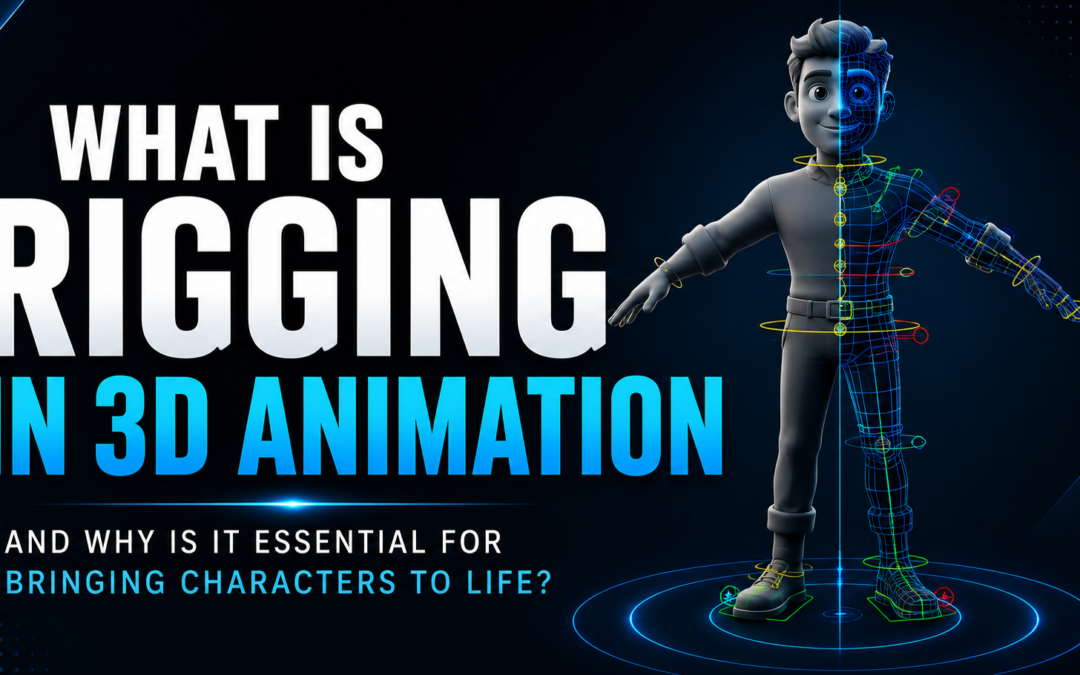
What Is Rigging in 3D Animation and Why Is It Essential for Bringing Characters to Life?
Introduction
Have you ever watched an animated movie, video game cinematic, or visual effects sequence and wondered how digital characters move so naturally?
From walking and running to smiling, jumping, and expressing emotions, every movement you see in a 3D animated character is made possible through a crucial process known as Rigging in 3D Animation.
Before animators can bring a character to life, the character needs an internal structure that allows it to move. Just as the human body relies on bones, joints, and muscles for movement, digital characters require a virtual system that controls how they bend, stretch, and interact with the world.
This system is called a rig.
Rigging in 3D Animation is one of the most important stages in the animation production pipeline. It acts as the bridge between character modeling and animation, enabling animators to create realistic and expressive performances.
In this blog, we will explore what rigging is, how it works, why it is important, and how it helps transform static 3D models into believable animated characters.
What Is Rigging in 3D Animation?
Rigging in 3D Animation is the process of creating a digital skeleton and control system for a 3D model so that it can be animated.
A rig allows animators to control different parts of a character without manually moving every individual point of the model.
The rig typically includes:
- Bones
- Joints
- Controllers
- Constraints
- Skin Weights
Together, these components form the internal structure that enables movement.
Without rigging, a 3D character would remain a static model incapable of animation.
Why Is Rigging Important?
Imagine creating a highly detailed character model but having no way to make it walk, run, or express emotions.
That’s exactly why Rigging in 3D Animation is essential.
Rigging helps:
- Create Character Movement
- Control Facial Expressions
- Simplify Animation Workflows
- Improve Production Efficiency
- Maintain Consistent Motion
- Enable Realistic Character Performance
Every animated film, game, and VFX project depends on properly rigged characters to achieve believable results.
How Does Rigging Work?
The process of Rigging in 3D Animation involves building a structure inside a character model.
This structure functions similarly to a human skeleton.
Animators manipulate the rig rather than the model itself.
When the rig moves, the character moves with it.
This system makes animation faster, cleaner, and more efficient.
Understanding Bones and Joints in 3D Animation
Bones and joints form the foundation of most rigs.
Bones
Bones act as the structural framework inside a character.
They define:
- Limbs
- Spine
- Neck
- Fingers
- Facial Areas
Bones help determine how different parts of the character move.
Joints
Joints connect bones together and allow movement.
They function similarly to human joints such as:
- Knees
- Elbows
- Shoulders
- Wrists
Proper joint placement is essential for creating realistic movement.
The relationship between bones and joints is one of the key principles of Rigging in 3D Animation.
What Are Controllers?
Controllers are tools that animators use to manipulate a rig.
Instead of selecting individual bones, animators interact with easy-to-use control objects.
Controllers help:
- Move Characters
- Rotate Limbs
- Adjust Facial Expressions
- Create Complex Poses
A well-designed rig includes intuitive controllers that make animation easier and more efficient.
The Character Rigging Process
The 3D Animation Rigging Process typically follows several important stages.
Step 1: Character Modeling
A 3D model is created by artists.
Step 2: Skeleton Creation
Bones are placed inside the character.
Step 3: Joint Placement
Joints are positioned at key movement areas.
Step 4: Skin Binding
The model is connected to the skeleton.
Step 5: Weight Painting
Artists determine how different parts of the model respond to bone movement.
Step 6: Controller Setup
Animation controls are added to simplify movement.
Step 7: Testing and Refinement
The rig is tested and adjusted to ensure smooth performance.
This workflow forms the foundation of Rigging in 3D Animation.
What Is Skinning?
Skinning is the process of attaching a character model to its rig.
Once skinning is complete:
- Moving bones affects the model.
- Characters bend naturally.
- Limbs deform correctly.
Without proper skinning, character movement can appear unrealistic.
Skinning is one of the most important parts of the rigging process because it directly affects animation quality.
Types of Rigging in 3D Animation
Different projects require different rigging approaches.
Character Rigging
Used for humans, animals, and creatures.
Facial Rigging
Creates facial expressions and lip-sync animation.
Mechanical Rigging
Used for robots, vehicles, and machinery.
Creature Rigging
Designed for fantasy creatures and complex characters.
Prop Rigging
Used for objects that need animation.
Each type serves a unique purpose within Rigging in 3D Animation.
Rigging and Character Animation
Rigging and animation work closely together.
A rigging artist creates the system that allows movement.
An animator uses that system to create performances.
Without rigging:
- Characters cannot walk.
- Facial expressions cannot be animated.
- Dynamic poses become difficult to create.
This makes Rigging in 3D Animation one of the most critical stages in character production.
The Role of Rigging in Animation Production
Modern animation studios rely heavily on rigging.
Rigging supports:
- Animated Films
- Television Series
- Video Games
- Visual Effects Projects
- Motion Graphics
- XR Experiences
Because rigs are used repeatedly throughout production, investing time in high-quality rigging significantly improves efficiency.
This is why professional studios place great importance on Rigging in 3D Animation.
Common Challenges in Rigging
Rigging can be technically demanding.
Common challenges include:
Unnatural Deformations
Characters may bend incorrectly.
Complex Character Designs
Detailed characters require advanced rigging solutions.
Performance Optimization
Large rigs can slow down production workflows.
Facial Animation Complexity
Creating realistic facial expressions requires sophisticated systems.
Experienced rigging artists solve these challenges through technical expertise and creative problem-solving.
Software Used for Rigging in 3D Animation
Industry professionals use specialized software to create rigs.
Popular tools include:
- Cinema 4D
- Autodesk MAYA
- Blender
- 3ds Max
- Houdini
These applications provide advanced rigging tools used in professional animation pipelines.
Skills Required for Rigging
Students interested in Rigging in 3D Animation should develop a combination of artistic and technical skills.
Understanding Anatomy
Knowledge of human and animal movement.
Problem Solving
Finding efficient rigging solutions.
Technical Thinking
Understanding how systems interact.
3D Software Knowledge
Working with industry-standard tools.
Attention to Detail
Creating clean and reliable rigs.
These skills help rigging artists build systems that support high-quality animation.
Career Opportunities in Rigging
As animation and gaming industries continue growing, demand for rigging specialists is increasing.
Popular career paths include:
Rigging Artist
Creates character rigs and animation systems.
Character Technical Artist
Supports animation and character workflows.
Creature Rigging Artist
Specializes in fantasy and animal rigs.
Technical Animator
Combines rigging and animation expertise.
Character Pipeline Artist
Develops workflows for animation production.
A strong understanding of Rigging in 3D Animation can open doors to exciting opportunities across creative industries.
Why Students Should Learn Rigging
Many students focus primarily on modeling or animation.
However, understanding rigging provides significant advantages.
Learning Rigging in 3D Animation helps students:
- Understand Character Movement
- Improve Animation Workflows
- Build Technical Skills
- Expand Career Opportunities
- Gain Industry-Relevant Knowledge
Even animators who do not become professional riggers benefit greatly from understanding how rigs function.
The Future of Rigging in 3D Animation
Technology continues to transform animation production.
Emerging trends include:
- AI-Assisted Rigging
- Real-Time Animation Systems
- Virtual Production
- Motion Capture Integration
- Advanced Facial Animation
While tools continue evolving, the importance of Rigging in 3D Animation remains unchanged.
Rigging will continue to play a central role in creating believable digital characters.
Final Thoughts
Every animated character begins as a static 3D model. What transforms that model into a believable performer is the power of Rigging in 3D Animation.
By creating digital skeletons, controllers, and movement systems, rigging artists make it possible for characters to walk, talk, run, jump, and express emotions.
Whether in animated films, video games, visual effects projects, or XR experiences, rigging serves as a critical foundation for character animation.
For students aspiring to build a career in animation, understanding Rigging in 3D Animation is an essential step toward mastering the animation production pipeline and bringing digital characters to life.
Recent Comments