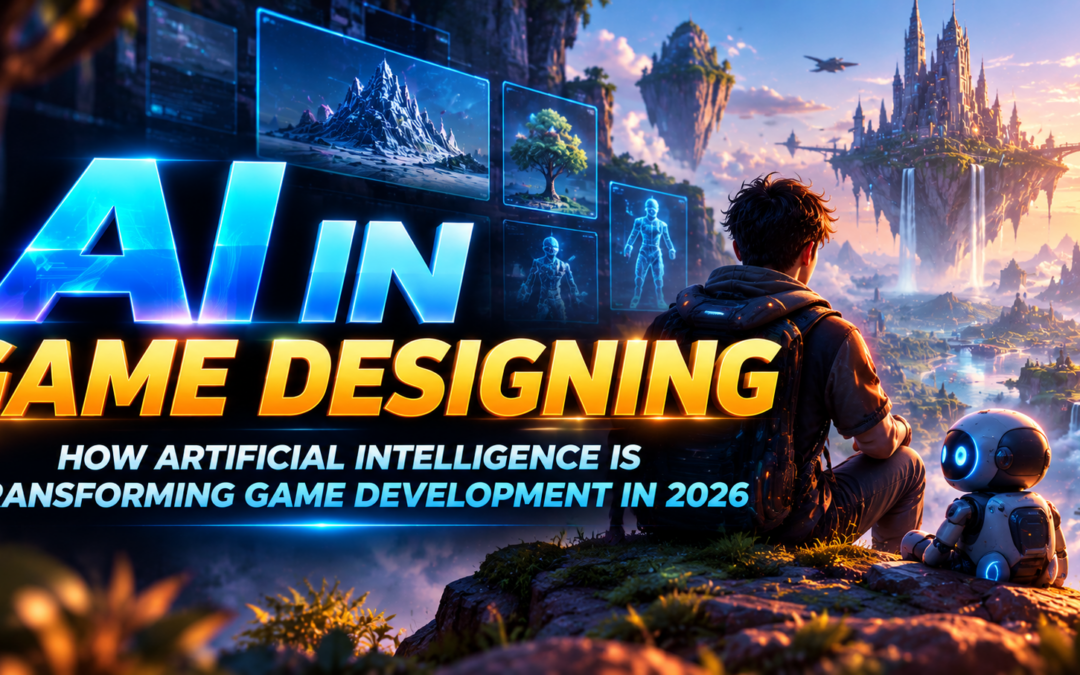
AI in Game Designing: How Artificial Intelligence Is Transforming Game Development in 2026
Introduction
The gaming industry is evolving rapidly as new technologies change how games are imagined, designed, developed, and experienced. From mobile games and open-world adventures to realistic simulations and virtual reality experiences, game designers are constantly exploring new ways to make gameplay more engaging.
In 2026, AI in Game Designing is becoming an important topic for aspiring game designers, developers, and creative professionals. Artificial intelligence can assist with creating game assets, developing story ideas, writing code, testing gameplay, and designing characters that respond to player actions.
These developments are also making game prototyping more accessible. However, creating a successful game still requires creativity, technical knowledge, storytelling, and a deep understanding of player behaviour.
In this blog, we explore how AI is transforming game designing, the tools used in modern development, the essential skills students should learn, and the career opportunities emerging in the gaming industry.
What Is AI in Game Designing?
AI in Game Designing refers to using artificial intelligence to support the planning, creation, testing, and improvement of video games. It can help designers develop ideas, generate preliminary assets, automate repetitive tasks, and create more responsive gameplay systems.
Traditionally, game development involves multiple stages, including concept development, character design, environment creation, level design, programming, animation, sound design, and testing. Each stage requires different creative and technical skills.
AI can support several of these stages. For example, a designer creating a fantasy adventure game might use AI to explore character concepts, generate environmental references, brainstorm missions, or assist with scripting a simple gameplay mechanic.
Game engines such as Unity also provide AI-assisted workflows for coding, troubleshooting, and generating development assets. Unity’s official documentation describes tools that can assist with sprites, textures, sounds, animations, and materials.
Unity Docs
+1
The goal is to make selected tasks more efficient while allowing designers to concentrate on the gameplay, originality, and player experience that make a game memorable.
7 Ways AI Is Transforming Game Designing in 2026
-
Creating Smarter Non-Player Characters (NPCs)
Non-player characters, commonly known as NPCs, are characters controlled by the game rather than directly by the player. They may include enemies, shopkeepers, companions, guards, or other characters who help bring a game world to life.
Traditionally, designers use predefined rules and behaviour systems to determine how NPCs move and respond. AI techniques can help make these behaviours more responsive to changing gameplay situations.
For example, in an adventure game, an enemy might patrol an area, notice the player, chase them, and search nearby locations after losing sight of them. A companion character might follow the player, avoid obstacles, or respond to specific events.
Unreal Engine supports NPC behaviour through systems such as Behavior Trees, Blackboards, and AI Perception. These systems help developers create characters that respond to environmental information and follow different decision paths.
Epic Developer Community
+1
More advanced AI approaches may enable richer interactions, but designers must still control character behaviour to ensure it supports the game’s mechanics and does not make gameplay unpredictable or unfair.
-
Procedural Generation of Game Worlds
Creating a detailed game environment can require considerable time and resources. Large games may contain landscapes, buildings, forests, roads, caves, and other elements that must work together visually and technically.
Procedural generation uses algorithms and defined rules to create game content automatically or semi-automatically. AI can support this process by helping designers explore variations and generate suitable assets or environmental concepts.
For example, a racing game might use procedural systems to create different track layouts, while a fantasy game could generate variations in terrain, vegetation, and environmental decoration.
This approach can increase variety and reduce some repetitive work. However, automatically generated content still needs careful review to ensure that environments remain playable, visually coherent, and appropriately balanced.
The most effective results combine automated generation with deliberate level design and artistic direction.
-
Faster Game Asset and Character Creation
Game assets include the visual elements used in a game, such as characters, props, textures, backgrounds, materials, and interface graphics.
Creating these assets traditionally involves concept art, modelling, texturing, rigging, and other production stages. AI-assisted tools can help designers explore visual directions and produce preliminary assets more quickly.
For example, a student developing a science-fiction game could use AI to explore robot designs, futuristic environments, or different colour schemes before refining the selected ideas in a 3D application.
AI can also assist with placeholder assets during prototyping, helping developers test a game’s structure before final artwork is ready.
However, generated assets may contain inconsistencies, unsuitable details, or technical issues. Professional projects still require artists to check proportions, optimize models, maintain a consistent style, and ensure assets meet the game’s technical requirements.
-
Improving Game Storytelling and Quest Design
Storytelling plays a major role in adventure games, role-playing games, and narrative-driven experiences. A compelling story can make players feel connected to characters, missions, and the world they explore.
AI tools can assist with brainstorming story concepts, creating character backgrounds, outlining dialogue, and exploring alternative quest structures.
For example, a designer developing a mystery game might use AI to generate possible clues, character motivations, and alternative story directions. The designer can then select the most suitable ideas and build a coherent narrative.
AI may also help developers explore dialogue variations for different gameplay situations. However, automatically generated dialogue can become repetitive, inconsistent, or disconnected from the main story.
Human writers and designers must maintain the game’s tone, continuity, emotional depth, and narrative purpose. AI is most useful as a creative assistant rather than a substitute for thoughtful storytelling.
-
AI-Assisted Coding and Rapid Prototyping
A playable prototype helps designers test whether a game idea is enjoyable before investing heavily in development.
AI coding assistants can help developers understand programming concepts, draft scripts, troubleshoot errors, and experiment with gameplay mechanics. Unity’s current AI tools include project-aware assistance for coding and other editor workflows.
Unity
+1
Imagine creating a simple platform game in which a character jumps between moving platforms and collects objects. AI assistance may help draft an initial movement script or explain how collision detection works.
The developer must still test the script, understand the logic, and correct errors. Generated code can contain bugs, inefficient approaches, or assumptions that do not match the project.
Learning programming fundamentals remains important because game designers need to understand how gameplay systems interact, how problems are diagnosed, and how performance is maintained.
-
Smarter Game Testing and Difficulty Balancing
Game testing helps identify bugs, confusing mechanics, unfair challenges, and performance problems before release.
AI-assisted testing can help developers automate repetitive test scenarios, explore different gameplay situations, and identify potential problems more efficiently.
For example, in a platform game, automated testing might check whether a character can reach a particular platform or whether an objective can be completed under specific conditions.
AI may also assist with analyzing gameplay data to identify sections where players frequently fail or abandon a level. Designers can use these insights to investigate difficulty, progression, and player engagement.
However, automated testing cannot fully replace human playtesting. Real players make unexpected decisions, experience emotions, and interpret instructions differently. A successful game needs both technical testing and feedback from people who actually play it.
-
Personalized Gameplay and Adaptive Difficulty
Players have different skill levels, preferences, and play styles. Some enjoy challenging combat, while others prefer exploration, puzzles, or storytelling.
AI-driven systems can help games respond to player behaviour by adjusting selected gameplay elements. Depending on the design, this might involve changing enemy behaviour, suggesting suitable challenges, or adapting certain encounters.
For example, a game could offer additional hints when a player repeatedly struggles with a puzzle. A racing game might adjust the behaviour of computer-controlled opponents to provide a more suitable challenge.
These features should be designed carefully. If a game changes difficulty too aggressively, players may feel that their achievements are being undermined.
The objective is to create a balanced and enjoyable experience, not simply to automate every decision.
Popular AI Tools for Game Designers
The right tools depend on whether a project involves 2D games, 3D environments, gameplay programming, character development, or testing.
- Unity: A game engine with AI-assisted development tools, including coding assistance and selected asset-generation capabilities.
- Unreal Engine: A game engine that provides systems such as Behavior Trees and AI Perception for building responsive NPC behaviour.
- Blender: A 3D creation application used for modelling, animation, materials, and rendering, with AI tools available through selected workflows and integrations.
- GitHub Copilot and similar coding assistants: Can help developers draft, explain, and troubleshoot code, subject to the capabilities and terms of the chosen service.
- AI image-generation tools: Can assist with concept art, visual references, mood boards, and preliminary design exploration.
These tools serve different purposes. Students should learn the core software used in their chosen area and then explore AI features that support their workflow.
AI-generated output should always be reviewed for technical suitability, originality, licensing, and consistency with the project’s visual direction.
Benefits and Challenges of AI in Game Designing
AI offers several advantages, but understanding its limitations is equally important.
Key benefits
- Faster prototyping: Designers can explore gameplay ideas and test concepts earlier.
- Creative exploration: AI can help generate alternative visual and narrative directions.
- Workflow efficiency: Selected repetitive tasks can be simplified or automated.
- Testing support: AI-assisted systems can help investigate gameplay issues and repetitive scenarios.
- Learning assistance: Beginners can use AI to understand tools, programming concepts, and development workflows.
Important challenges
- Quality control: Generated assets and code may require significant corrections.
- Originality: Depending too heavily on generated content can produce generic experiences.
- Technical limitations: Assets may not be optimized or compatible with the intended game engine.
- Copyright and licensing: Designers must check the terms governing generated content and third-party assets.
- Overdependence: Relying entirely on AI can prevent students from developing the fundamentals needed to solve complex problems.
The gaming industry is adopting AI cautiously in many workflows. Unity’s 2026 Game Development Report describes developers using AI to support productivity and decision-making while maintaining a strategic approach to adoption.
Unity
+1
The most effective approach is to use AI where it provides genuine value while maintaining creative control and technical understanding.
Essential Skills to Learn for Game Designing in 2026
Students interested in game designing should develop a combination of creative, technical, and problem-solving skills.
Game design fundamentals: Learn gameplay mechanics, rules, objectives, player progression, level design, and balancing.
3D modelling and asset creation: Understand modelling, texturing, materials, lighting, and the preparation of assets for real-time environments.
Game engines: Practise building scenes, configuring cameras, adding physics, creating interactions, and assembling playable levels in Unity or Unreal Engine.
Programming fundamentals: Learn the logic behind variables, conditions, loops, functions, and gameplay scripts.
Animation and character design: Understand movement, rigging, animation principles, and how characters communicate through actions.
AI-assisted workflows: Practice generating references, exploring design ideas, using coding assistants responsibly, and checking generated output.
Testing and optimization: Learn to identify bugs, improve performance, and evaluate gameplay through structured testing.
Developing these skills through practical projects helps students understand the complete game development process instead of focusing only on individual tools.
Career Opportunities in AI-Assisted Game Development
As game studios and independent developers explore new technologies, aspiring professionals can prepare for a variety of creative and technical roles.
Potential career paths include:
- Game Designer
- Level Designer
- Game Environment Artist
- 3D Character Artist
- Game Animator
- Gameplay Programmer
- Technical Artist
- Game AI Programmer
- Game Tester or Quality Assurance Analyst
Not every role requires advanced AI programming. A level designer may use AI tools to explore concepts, while a gameplay programmer may work with NPC logic, automated testing, or machine-learning systems.
Career opportunities depend on practical skills, project experience, portfolio quality, and employer requirements. Building playable projects and understanding the fundamentals of game development remain essential.
How to Start Learning AI in Game Designing
If you want to begin a career in game designing, follow a structured learning path.
- Understand game design basics: Study gameplay mechanics, player objectives, level layouts, and game balancing.
- Learn a game engine: Start with Unity or Unreal Engine and practice creating interactive scenes.
- Develop creative skills: Explore 3D modelling, character design, texturing, animation, and environment creation.
- Learn programming fundamentals: Understand the logic behind game interactions and simple gameplay systems.
- Experiment with AI tools: Use AI for concept development, coding assistance, asset exploration, and selected testing tasks.
- Build a playable portfolio: Create a small platformer, puzzle game, racing prototype, or interactive environment and document your process.
Start with manageable projects rather than trying to create a large open-world game immediately. Completing a small, polished project teaches you more about the full development process than leaving a complicated project unfinished.
Conclusion
AI in Game Designing is transforming how developers approach concept creation, asset production, gameplay programming, storytelling, and testing in 2026. AI-assisted tools can help simplify selected tasks and accelerate experimentation, opening new possibilities for students and experienced professionals alike.
However, great games are built on more than technology. Creativity, engaging gameplay, compelling characters, thoughtful level design, and a strong understanding of player experience remain essential.
For aspiring game designers, the best strategy is to combine traditional design fundamentals with practical knowledge of modern AI tools and game engines. By creating original projects, learning professional software, and building a strong portfolio, students can prepare for opportunities in the evolving gaming industry.
At MAAC Marathahalli, aspiring creative professionals can explore learning pathways in gaming, game designing, animation, visual effects, and digital content creation. Building a solid foundation in design and technology can help students develop the skills needed to turn their ideas into interactive experiences.
The future of game development is not simply about creating games faster. It is about using technology thoughtfully to build original worlds, meaningful gameplay, and experiences that players want to return to.
Recent Comments