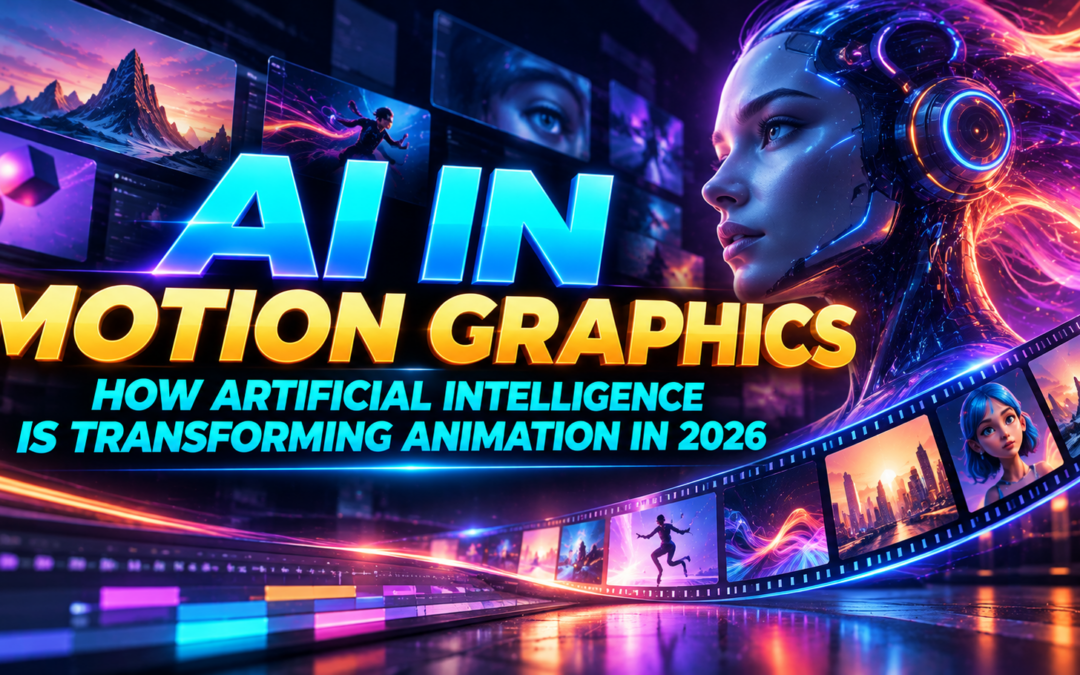
AI in Motion Graphics: How Artificial Intelligence Is Transforming Animation in 2026
Introduction
Motion graphics have become an important part of modern digital communication. From animated advertisements and product promotions to social media videos, explainer videos, and cinematic title sequences, businesses use motion design to communicate ideas and capture audience attention. As technology evolves, artificial intelligence is introducing new possibilities for designers and animators.
AI in Motion Graphics is changing how creative professionals approach concept development, visual asset creation, animation, editing, and post-production. Tasks that previously required considerable manual effort can now be assisted by intelligent tools, allowing designers to explore ideas and refine projects more efficiently.
However, artificial intelligence does not automatically produce professional-quality animation. Successful motion design still requires creativity, visual storytelling, timing, composition, and technical knowledge. Understanding how AI works alongside traditional animation techniques can help aspiring designers prepare for the changing creative industry.
In this blog, we explore how AI is transforming motion graphics in 2026, the tools designers can explore, the skills they should develop, and the career opportunities emerging from these evolving workflows.
What Is AI in Motion Graphics?
AI in Motion Graphics refers to using artificial intelligence to support the creation, editing, animation, and enhancement of moving visual content. AI-powered tools can generate images from text prompts, assist with video creation, identify objects in footage, create visual variations, and simplify selected production tasks.
Traditional motion graphics workflows typically involve developing a concept, creating assets, arranging layers, animating objects, applying effects, and rendering the final composition. Designers use keyframes, masks, expressions, transitions, and compositing techniques to control the result.
AI can support different stages of this process. For example, a designer developing a product advertisement might use AI to explore visual concepts, generate background references, or create supporting footage before refining the final animation in professional software.
The objective is not to eliminate the creative process. It is to help designers experiment more efficiently while maintaining control over the quality and direction of their work.
7 Ways AI Is Transforming Motion Graphics in 2026
- Faster Concept Development and Storyboarding
Every animation project begins with an idea. Before production starts, designers need to understand the client’s requirements, explore visual styles, establish a colour palette, and decide how the story will unfold.
AI tools can help generate reference images, mood-board ideas, and preliminary storyboard concepts from written descriptions. This gives designers more opportunities to compare different approaches before selecting a direction.
For example, a designer creating a futuristic technology advertisement can explore several environments, lighting styles, and compositions before building the final sequence.
These generated concepts are useful starting points, but designers must still evaluate whether the visuals communicate the intended message and suit the brand.
- AI-Powered Video and Animation Creation
One of the most exciting developments in AI in Motion Graphics is the ability to generate video content from text prompts, images, and reference materials.
Depending on the tool, designers can experiment with animated scenes, atmospheric backgrounds, short video clips, and visual concepts that would otherwise require additional production work.
This can be particularly helpful during pre-production, when creative teams need to demonstrate an idea before committing to a complete animation.
However, AI-generated video can contain inconsistent details, unnatural movement, or changes in character appearance between frames. Designers must review the results and make corrections before using them in a professional project.
Traditional animation software remains important when a project requires precise timing, consistent movement, detailed transitions, and repeatable results.
- Smarter Masking and Rotoscoping
Masking and rotoscoping are essential techniques in motion graphics and visual effects. They allow designers to separate subjects from backgrounds, replace environments, and combine multiple visual elements.
Manually isolating a moving person or object can be time-consuming, especially when the footage contains complex edges, fast movement, or motion blur.
AI-assisted tools can help identify subjects and track them across video frames, reducing some of the repetitive work involved.
Imagine creating an advertisement in which a person stands in front of a plain background. A designer could isolate the subject, introduce a digitally created environment, and add animated graphic elements around the person.
Although AI can speed up parts of this process, the designer still needs to inspect edges, correct tracking errors, and ensure that the subject blends naturally into the composition.
- Creative Typography and Text Animation
Typography is a fundamental element of motion design. Animated headlines, logo reveals, kinetic typography, and promotional titles help communicate information while establishing a project’s visual identity.
AI tools can assist with exploring typography styles, colour combinations, layout concepts, and creative directions. Designers can use these ideas as references before building controlled animations in software such as Adobe After Effects.
For example, a promotional video might use bold typography that appears in sync with music, changes scale with the rhythm, and transitions between scenes.
To achieve this effectively, designers need to understand hierarchy, readability, spacing, timing, and easing. Text should remain easy to read even when it moves quickly.
AI can support experimentation, but professional typography animation depends on thoughtful design decisions and precise execution.
- Generating Visual Assets and Supporting Effects
Motion graphics projects often require backgrounds, textures, illustrations, atmospheric elements, and additional visual assets. Creating or sourcing each element can take considerable time.
AI tools can help designers explore different asset styles, generate concept images, and produce supporting materials for selected workflows.
For instance, a designer working on a science-fiction title sequence might need futuristic architecture, glowing environmental details, and abstract visual textures. AI-generated references can help establish the look of the project.
These assets must be refined to maintain consistency in lighting, colour, perspective, and visual style. Designers should also check the licensing terms and usage restrictions of the tools they use.
- Faster Editing and Multiple Content Versions
Brands increasingly publish content across websites, social media platforms, digital advertisements, and video-sharing channels. Each platform may require different dimensions, durations, and compositions.
AI-assisted workflows can help teams explore variations, prepare supporting content, and automate selected repetitive tasks. When combined with templates and organised project files, these techniques can improve production efficiency.
For example, a designer might create a product animation and adapt it into several versions for vertical videos, square posts, and landscape advertisements.
However, simply resizing a composition is not always enough. Each version needs appropriate framing, readable text, well-timed transitions, and a layout that suits its platform.
Human review remains essential to maintain visual consistency and brand quality.
- More Opportunities for Creative Experimentation
AI tools allow beginners and experienced designers to test ideas without producing every reference asset manually.
Students can experiment with different visual directions, explore imaginative environments, and compare alternative concepts before developing a final project. This can make the learning process more interactive and encourage creative exploration.
Nevertheless, generating an attractive image is not the same as producing a complete animation. Professional motion graphics require continuity, controlled movement, visual hierarchy, suitable pacing, and a clear narrative.
Designers who combine AI experimentation with strong creative fundamentals will be better equipped to turn promising ideas into polished work.
Popular AI Tools for Motion Graphics
Several tools can support different stages of the creative process. The right choice depends on the project’s requirements and the level of control needed.
- Adobe After Effects: Used for motion design, compositing, animated typography, visual effects, and detailed animation control.
- Adobe Firefly: Supports creative exploration and the generation of selected visual assets.
- Runway: Provides AI-powered video and visual-generation workflows.
- Kling AI: Can be explored for generating video clips and animated visual concepts.
- Luma AI: Offers tools for AI-assisted visual and video creation.
- Adobe Premiere Pro: Supports video editing and selected AI-assisted production tasks.
- Blender: Provides 3D modelling, animation, lighting, materials, and rendering capabilities.
These tools serve different purposes, and their features, pricing, and availability may change. Before selecting a platform, review its current capabilities and licensing conditions.
The most effective approach is to use AI tools where they provide value while relying on professional software for detailed creative control.
AI vs Traditional Motion Graphics
AI-assisted and traditional motion design are not necessarily competing approaches. They can complement each other within the same project.
|
AI-assisted workflow |
Traditional workflow |
|
Helps explore ideas quickly |
Provides direct creative control |
|
Can generate visual concepts and assets |
Allows assets to be designed manually |
|
Assists with selected editing tasks |
Supports detailed frame-by-frame adjustments |
|
Can accelerate some repetitive processes |
Provides predictable, repeatable animation control |
|
May require refinement for consistency |
Allows precise control over timing and movement |
For example, AI can help a designer generate a background concept, while After Effects can be used to animate typography, control transitions, and composite the final scene.
The goal is to select the right technique for each stage rather than depend entirely on one approach.
Essential Skills Motion Designers Should Learn in 2026
Technology alone cannot replace the foundational skills required to create compelling animation. Aspiring motion designers should focus on the following areas.
Design fundamentals: Learn colour theory, composition, typography, spacing, contrast, and visual hierarchy.
Animation principles: Understand timing, spacing, anticipation, easing, follow-through, and smooth transitions.
Adobe After Effects: Practise keyframes, shape layers, masks, expressions, effects, and compositing.
Video editing: Develop an understanding of pacing, cuts, transitions, sound synchronisation, and storytelling.
3D design: Explore modelling, materials, lighting, camera movement, and rendering using suitable 3D software.
AI-assisted workflows: Learn how to write effective prompts, evaluate generated content, refine assets, and use AI responsibly.
Portfolio development: Create original projects that demonstrate your creative thinking, technical skills, and ability to solve visual communication problems.
Combining these skills can help designers produce work that goes beyond generic AI-generated content.
Career Opportunities in AI-Assisted Motion Graphics
As businesses continue using animation and video content for communication and marketing, professionals with strong motion design skills can explore a variety of creative roles.
Potential career paths include:
- Motion Graphics Designer
- 2D Animator
- 3D Motion Designer
- Video Editor and Motion Designer
- Visual Effects Artist
- Title Sequence Designer
- Digital Content Creator
- Advertising and Brand Content Designer
AI knowledge can support these roles by helping designers explore concepts and improve selected production workflows. However, career opportunities depend on practical ability, portfolio quality, experience, and employer requirements.
Students should concentrate on building a strong foundation in animation and design before relying on AI tools as a primary skill.
How to Start Learning AI in Motion Graphics
If you want to enter this creative field, follow a structured learning path.
- Learn design fundamentals. Begin with composition, colour, typography, and visual storytelling.
- Understand animation principles. Practise keyframes, easing, timing, and transitions.
- Learn professional software. Develop practical skills in After Effects and explore complementary creative tools.
- Experiment with AI tools. Use them to explore concepts, generate references, and assist with suitable production tasks.
- Create practical projects. Develop logo animations, kinetic typography videos, product advertisements, and short promotional videos.
- Build a portfolio. Present your projects with clear explanations of the brief, creative decisions, tools used, and final results.
This approach helps you understand not only how to generate visual content but also how to transform it into a complete, professional animation.
Conclusion
AI in Motion Graphics is creating new possibilities for concept development, animation, visual asset creation, and editing in 2026. AI-powered tools can help designers experiment faster and simplify selected tasks, but professional results still depend on creativity, technical knowledge, and attention to detail.
For aspiring motion designers, the best strategy is to combine traditional animation skills with a practical understanding of AI-assisted workflows. Learning professional software, practising design fundamentals, and developing a portfolio can help prepare you for opportunities in the evolving animation industry.
At MAAC Marathahalli, students can explore creative learning pathways in animation, visual effects, motion graphics, gaming, and digital content creation. Building strong design and animation fundamentals can help aspiring artists understand how to use emerging technologies effectively.
The future of motion graphics is not just about creating visuals faster. It is about combining human imagination with technology to communicate ideas and create memorable visual experiences.
Recent Comments