
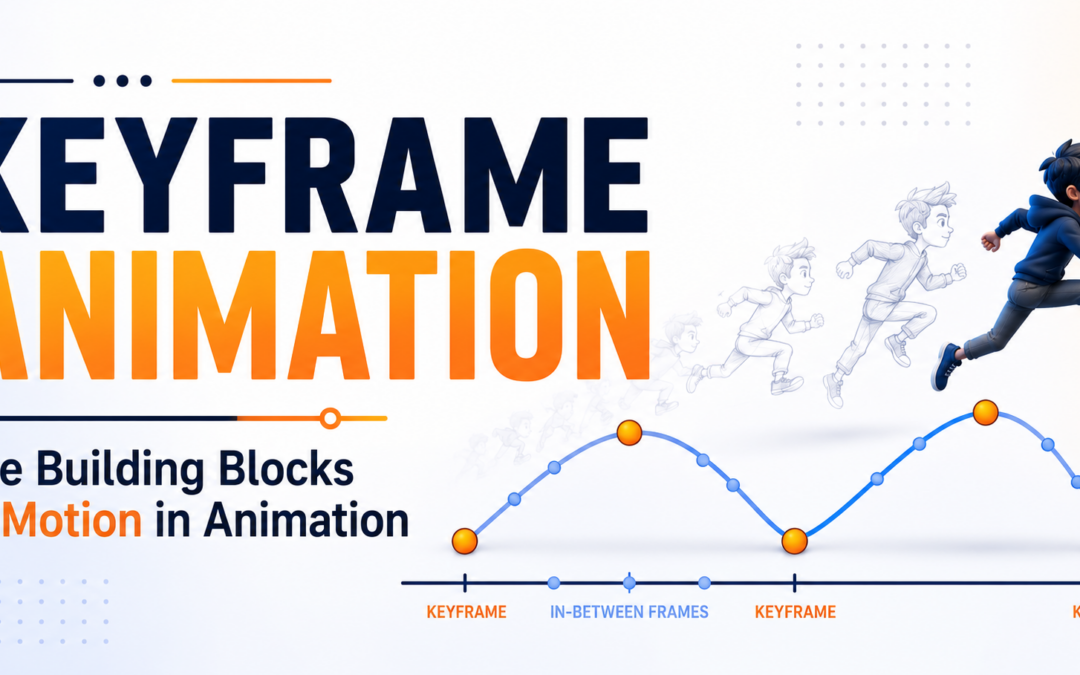
Keyframe Animation Explained: The Building Blocks of Motion in Animation
Introduction
Have you ever wondered how animated characters walk, jump, run, or express emotions so naturally on screen?
Whether it’s a blockbuster animated film, a video game character, a motion graphics project, or a visual effects sequence, every movement starts with a fundamental animation technique known as Keyframe Animation.
Keyframe animation is one of the most important concepts in the animation industry. It serves as the foundation for creating movement, bringing characters to life, and building engaging visual experiences. From traditional animation to modern 3D productions, animators rely on keyframes to control motion and tell compelling stories.
Understanding Keyframe is essential for anyone who wants to learn animation and pursue a career in the creative industry.
In this blog, we’ll explore what keyframe animation is, how it works, why it’s important, and how professional animators use it to create realistic and expressive motion.
What Is Keyframe Animation?
Keyframe Animation is a technique used to create movement by defining important positions or states of an object at specific points in time.
A keyframe represents a significant moment in an animation sequence.
For example:
- A character standing still
- A character beginning to jump
- A character reaching the highest point of the jump
- A character landing on the ground
These important positions are called keyframes.
The animation software automatically generates the motion between these keyframes, creating smooth movement.
This process is known as interpolation or tweening.
Why Is Keyframe Animation Important?
Without keyframes, animation would be extremely difficult and time-consuming.
Keyframes help animators:
- Control movement precisely
- Create realistic motion
- Build character performances
- Save production time
- Maintain consistency throughout scenes
Every animated project, from simple advertisements to major animated films, relies on Keyframe Animation as a core production technique.
How Keyframe Animation Works
The basic workflow involves three major steps:
Step 1: Create the Starting Position
The animator places an object or character in its initial position.
Step 2: Create the Ending Position
The object is moved to a new position at a different point in time.
Step 3: Generate Motion
The software calculates the movement between the two keyframes and creates smooth transitions.
This simple process forms the foundation of nearly all modern animation workflows.
Understanding Frames and Keyframes
Animation is created using a sequence of images called frames.
A typical animation may run at:
- 24 Frames Per Second (FPS)
- 30 Frames Per Second (FPS)
- 60 Frames Per Second (FPS)
Within these frames, keyframes define the major points of movement.
The frames generated between keyframes are called:
In-Between Frames
These frames create the illusion of continuous motion.
By combining keyframes and in-between frames, animators create smooth and believable animations.
The Role of Keyframes in Character Animation
Character animation depends heavily on Keyframe Animation.
Animators use keyframes to define:
- Body movements
- Facial expressions
- Hand gestures
- Eye movements
- Character poses
Every action begins with carefully planned key poses.
These poses communicate the character’s emotions, intentions, and personality.
Professional animators often focus more on strong key poses than on individual frames because key poses define the quality of the final animation.
Keyframe Animation in 2D Animation
In traditional and digital 2D animation, keyframes play a crucial role.
Animators create:
- Main character poses
- Important actions
- Storytelling moments
Additional frames are then added between keyframes to create smooth movement.
This technique has been used for decades in animated films, television shows, and digital content.
Keyframe Animation in 3D Animation
Modern 3D animation software relies heavily on Keyframe Animation.
Animators use keyframes to control:
- Character rigs
- Camera movements
- Lighting changes
- Object transformations
- Special effects
Every movement in a 3D scene is driven by keyframes.
Whether it’s a walking character or a flying spaceship, keyframes provide the foundation for animation.
Keyframe Animation in Motion Graphics
Motion graphics artists also use keyframes extensively.
Keyframes help animate:
- Text
- Logos
- Shapes
- Icons
- Visual Elements
This allows designers to create dynamic advertisements, explainer videos, social media content, and promotional campaigns.
The growing demand for digital content has increased the importance of Keyframe across multiple industries.
Keyframe Animation and Storytelling
Animation is more than movement.
It is a form of storytelling.
Keyframes help animators communicate:
- Emotion
- Personality
- Mood
- Energy
- Intention
A well-designed sequence of keyframes can make a character appear:
- Happy
- Sad
- Excited
- Nervous
- Confident
This emotional connection is what makes animation so powerful.
Benefits of Learning Keyframe Animation
Understanding Keyframe Animation provides several advantages.
Strong Animation Foundation
It helps students understand how motion is created.
Better Creativity
Animators gain greater control over visual storytelling.
Industry Relevance
Keyframe animation is used in nearly every animation pipeline.
Career Opportunities
The skill is valuable across multiple creative industries.
Improved Problem Solving
Animators learn how to create convincing and engaging motion.
For aspiring animators, mastering keyframes is one of the most important steps toward professional success.
Software Used for Keyframe Animation
Professional animators use various software applications that support keyframe animation workflows.
Popular tools include:
- Autodesk Maya
- Blender
- Adobe After Effects
- Cinema 4D
- Toon Boom Harmony
These tools are widely used in animation studios, film production, gaming, and digital content creation.
Industries That Use Keyframe Animation
The applications of Keyframe Animation extend far beyond animated movies.
Animation Studios
Creating feature films and animated series.
Gaming Industry
Animating characters, environments, and gameplay elements.
Advertising
Developing engaging promotional content.
Motion Graphics
Producing dynamic visual communication.
Visual Effects
Creating cinematic effects and simulations.
Digital Content Creation
Designing videos for social media and online platforms.
This versatility makes keyframe animation one of the most valuable skills in the creative industry.
The Future of Keyframe Animation
Technology continues to evolve, but keyframes remain at the heart of animation production.
Modern innovations such as:
- AI-Assisted Animation
- Real-Time Rendering
- Virtual Production
- Interactive Experiences
- XR Content
still rely on animation principles built around keyframe workflows.
As the demand for animated content continues growing, professionals who understand Keyframe will remain highly valuable.
Why Every Animation Student Should Learn Keyframe Animation
Every great animation begins with strong fundamentals.
Learning Keyframe helps students:
- Understand motion
- Build animation skills
- Improve storytelling
- Create professional-quality work
- Prepare for industry careers
Whether someone wants to become a character animator, motion graphics artist, game animator, or VFX professional, keyframe animation serves as an essential building block.
Final Thoughts
Behind every animated character, motion graphics project, visual effect, and cinematic sequence lies a powerful technique known as Keyframe Animation.
By defining important moments and allowing software to generate movement between them, animators create the illusion of life, motion, and emotion.
As one of the most fundamental concepts in animation, Keyframe continues to play a crucial role across films, games, advertising, and digital media.
For students and aspiring animators, understanding keyframes is the first step toward mastering animation and building a successful career in the creative industry.
Recent Comments