
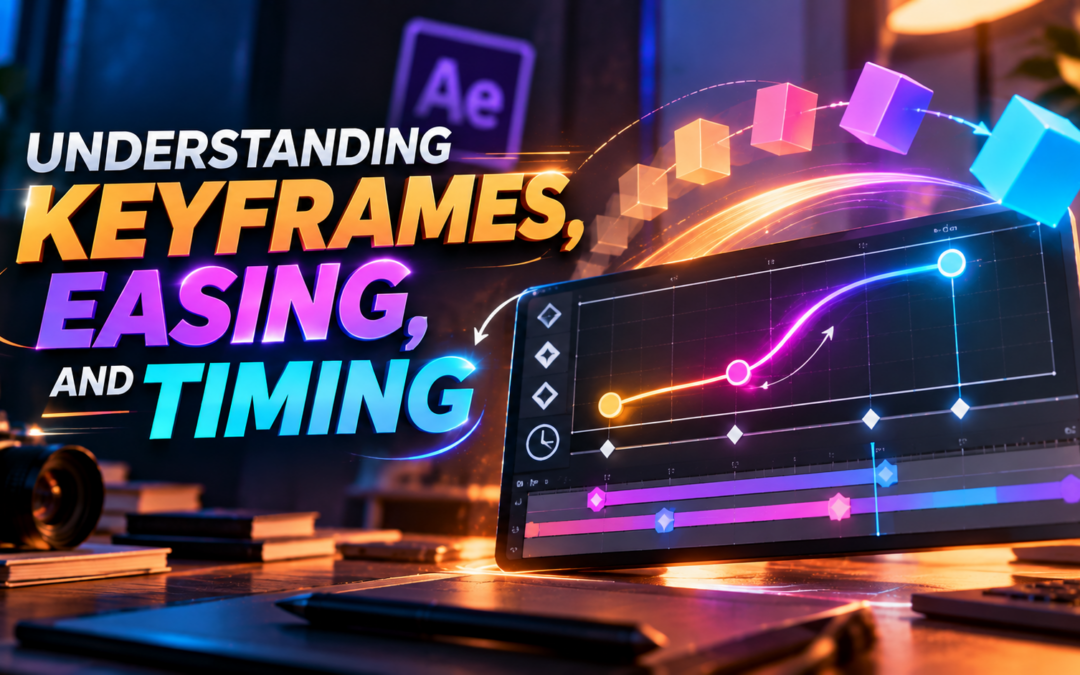
Understanding Keyframes, Easing, and Timing: The Building Blocks of Great Motion Design
Introduction
Every smooth animation, engaging motion graphic, and professional visual effect is built on a few fundamental concepts. Whether you’re animating text, creating social media content, designing explainer videos, or producing motion graphics for advertising, understanding how movement works is essential.
Three of the most important concepts every motion designer must learn are Keyframes Easing and Timing. These principles control how objects move, when they move, and how natural that movement feels.
Many beginners can create animations that technically work, but without proper easing and timing, those animations often feel robotic, unnatural, or unprofessional. Mastering Keyframes Easing and Timing helps designers create smooth motion, guide viewer attention, improve storytelling, and produce animations that feel polished and engaging.
If you are starting your journey in Motion Graphics or Animation, learning these concepts is one of the most important steps toward becoming a skilled motion designer.
In this blog, we’ll explore Keyframes Easing and Timing, how they work, why they matter, and how they help create professional-quality motion graphics.
What Are Keyframes?
Before understanding Keyframes Easing and Timing, it’s important to understand what a keyframe is.
A keyframe is a specific point in time that defines the starting or ending state of an animated object.
For example:
- Position
- Scale
- Rotation
- Opacity
- Color
can all be controlled using keyframes.
Motion design software automatically creates the movement between keyframes.
Imagine animating a logo:
- Keyframe 1: Logo starts on the left side.
- Keyframe 2: Logo ends on the right side.
The software calculates everything in between.
This process forms the foundation of almost every animation project.
Why Keyframes Are Important
Keyframes are the foundation of motion graphics.
Without keyframes, there would be no animation.
They help designers:
- Create Movement
- Control Animation
- Build Visual Stories
- Define Motion Paths
- Adjust Timing
Every professional motion designer works with keyframes daily.
Whether creating simple text animations or complex motion graphics, keyframes are always involved.
Types of Keyframes in Motion Design
Different software may offer multiple keyframe types.
Common examples include:
Linear Keyframes
Movement occurs at a constant speed.
Easy Ease Keyframes
Movement accelerates and decelerates naturally.
Hold Keyframes
Objects remain static until the next keyframe.
Bezier Keyframes
Provide greater control over motion curves.
Understanding these keyframe types is essential for mastering Keyframes Easing and Timing.
What Is Easing?
Once keyframes are created, the next step is controlling how movement occurs between them.
This is where easing becomes important.
Easing refers to the way an object accelerates and decelerates during motion.
In the real world, objects rarely move at a constant speed.
A car doesn’t instantly reach top speed.
A person doesn’t immediately stop moving.
Objects naturally:
- Start Slowly
- Accelerate
- Reach Peak Speed
- Slow Down
Easing helps animations mimic this natural behavior.
Why Easing Matters
One of the biggest reasons to learn Keyframes Easing and Timing is because easing makes animations feel realistic.
Without easing:
- Motion feels robotic.
- Animations appear mechanical.
- Movement lacks personality.
With easing:
- Motion feels smooth.
- Animations appear natural.
- Visual experiences become more engaging.
Professional motion graphics rely heavily on easing to create polished results.
Common Types of Easing
Ease In
Animation starts slowly and speeds up.
Useful for:
- Object Entrances
- Build-Up Effects
Ease Out
Animation starts quickly and slows down.
Useful for:
- Object Stops
- Final Movements
Ease In Out
Animation starts slowly, speeds up, and slows down again.
This is one of the most commonly used easing styles in motion design.
Understanding Timing
The third component of Keyframes Easing and Timing is timing.
Timing refers to how long an animation takes to occur.
Timing determines:
- Speed
- Rhythm
- Energy
- Emotion
Good timing helps create animations that feel intentional and engaging.
Poor timing can make animations feel awkward or confusing.
Why Timing Is Important
Timing affects how audiences perceive movement.
For example:
Fast Timing
Creates:
- Excitement
- Energy
- Urgency
Slow Timing
Creates:
- Elegance
- Calmness
- Sophistication
Motion designers carefully adjust timing to support the message they want to communicate.
How Keyframes, Easing, and Timing Work Together
The real magic happens when Keyframes Easing and Timing work together.
Think of it like this:
Keyframes
Define where an object starts and ends.
Easing
Defines how the object moves.
Timing
Defines how long the movement takes.
Together, they create natural and engaging motion.
Even a simple text animation can look dramatically different depending on easing and timing choices.
Real-World Example: Social Media Text Animation
Imagine animating a headline for Instagram.
Without proper easing:
- Text suddenly appears.
- Movement feels abrupt.
With easing and timing:
- Text smoothly enters.
- Attention is naturally guided.
- Content feels more professional.
This is why Keyframes Easing and Timing are essential in social media content creation.
Keyframes Easing and Timing in Motion Graphics
Motion Graphics Designers use these principles for:
- Logo Animations
- Explainer Videos
- Product Promotions
- Social Media Reels
- YouTube Videos
- Brand Campaigns
Every animated element relies on keyframes, easing, and timing.
Mastering these concepts improves animation quality across all project types.
Common Beginner Mistakes
When learning Keyframes Easing and Timing, beginners often make several mistakes.
Using Only Linear Motion
Linear movement often feels unnatural.
Moving Too Fast
Animations become difficult to follow.
Moving Too Slow
Content loses audience attention.
Overusing Effects
Too many effects can distract from communication.
Ignoring Visual Rhythm
Poor timing can make content feel inconsistent.
Avoiding these mistakes helps create stronger animations.
Tips for Improving Animation Quality
To master Keyframes Easing and Timing, practice these techniques:
Observe Real-Life Motion
Study how objects move naturally.
Use Ease In and Ease Out
Avoid relying solely on linear movement.
Experiment with Timing
Test different speeds and durations.
Analyze Professional Animations
Observe how experienced designers use motion.
Practice Regularly
The more animations you create, the better your understanding becomes.
Software Used for Keyframes Easing and Timing
Professional motion designers use software such as:
- Adobe After Effects
- Adobe Premiere Pro
- Blender
- Cinema 4D
- Autodesk Maya
These tools provide advanced controls for animation timing and easing.
Among them, Adobe After Effects is one of the most widely used applications for Motion Graphics.
Career Importance of Learning Keyframes Easing and Timing
Understanding Keyframes Easing and Timing is essential for careers such as:
- Motion Graphics Designer
- Motion Designer
- Animator
- Video Editor
- Visual Effects Artist
- Content Creator
These skills are considered fundamental across the animation and motion design industry.
Future of Motion Design and Animation
Even as AI tools become more powerful, understanding Keyframes Easing and Timing remains essential.
AI may automate certain tasks, but creative decisions about movement, pacing, and storytelling still depend on human designers.
Professionals who understand animation fundamentals will continue to have a strong advantage in the creative industry.
Final Thoughts
Keyframes Easing and Timing are the foundation of every successful animation. Together, they control where objects move, how they move, and how long those movements take. These principles help transform simple motion into smooth, natural, and engaging visual experiences.
Whether you’re creating animated typography, social media content, brand promotions, explainer videos, or advanced motion graphics, mastering Keyframes Easing and Timing will dramatically improve the quality of your work. For aspiring motion designers, these concepts are not just technical skills—they are the building blocks of effective visual storytelling.
By practicing consistently and applying these principles thoughtfully, you’ll be able to create animations that feel professional, polished, and memorable, helping you take the next step in your Motion Graphics journey.
Recent Comments