
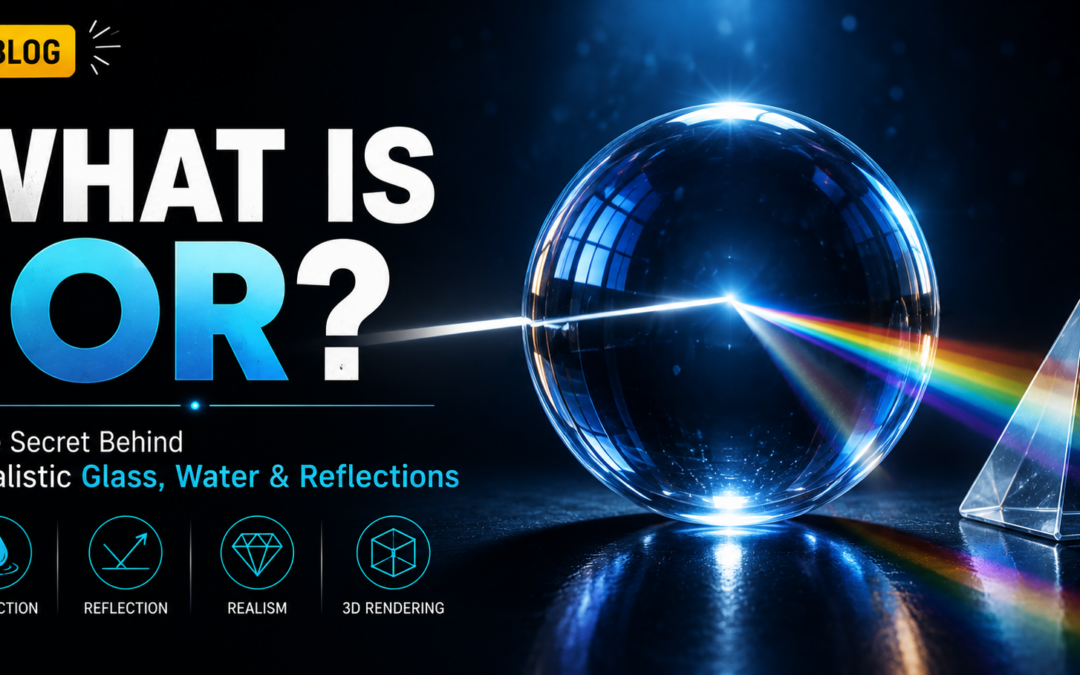
What Is IOR? Understanding the Science of Light, Reflection, and Refraction in 3D Rendering
Introduction
One of the biggest challenges in visual effects, animation, and CGI production is making digital objects look realistic. Whether it is a glass of water, a diamond ring, a camera lens, or a shiny crystal, artists need to recreate how light behaves in the real world. This is where IOR in 3D Rendering becomes extremely important.
IOR stands for Index of Refraction, a fundamental concept used in physics, photography, VFX, and rendering. It determines how light bends when it passes through different materials.
In the real world, light behaves differently when traveling through air, water, glass, ice, or diamonds. To create believable digital materials, rendering software must simulate this behavior accurately.
Without proper IOR settings, materials can appear fake, unrealistic, or physically incorrect.
In this blog, we will explore what IOR is, how it works, why it matters in CGI production, and how VFX artists use it to create realistic reflections and refractions.
What Is IOR in 3d Rendering?
IOR stands for Index of Refraction.
It is a numerical value that describes how light changes direction when moving from one material to another.
When light passes through different substances, its speed changes.
As the speed changes, the light bends.
This bending effect is called refraction.
The amount of bending depends on the material’s IOR value.
Understanding IOR in 3D Rendering helps artists recreate realistic material behavior.
Understanding Refraction
Refraction happens whenever light enters a new medium.
Examples include:
- Light entering water
- Light passing through glass
- Light traveling through ice
- Light moving through a camera lens
You may have noticed that a straw placed inside a glass of water appears bent.
This visual effect occurs because light changes direction as it passes through water.
That is refraction in action.
Why IOR Matters in CGI
In computer graphics, software must simulate real-world light behavior.
Artists use IOR values to control:
- transparency
- reflection
- refraction
- realism
- material accuracy
Without correct IOR values, materials often look artificial.
That is why IOR in 3D Rendering plays such a crucial role in visual realism.
How IOR Works
Every material has its own refractive index.
Higher IOR values generally bend light more strongly.
Materials with higher IOR values often produce stronger reflections and more dramatic refraction effects.
For example:
- Air bends light very little.
- Water bends light more.
- Glass bends light even more.
- Diamonds bend light dramatically.
This variation creates the unique visual appearance of each material.
Common IOR Values
Understanding common values helps artists create realistic materials.
Air
IOR ≈ 1.00
Light travels almost freely through air.
Water
IOR ≈ 1.33
Creates noticeable light bending and realistic water distortion.
Ice
IOR ≈ 1.31
Similar to water but slightly different in appearance.
Glass
IOR ≈ 1.52
Widely used for windows, bottles, and lenses.
Sapphire
IOR ≈ 1.77
Produces stronger light refraction.
Diamond
IOR ≈ 2.42
Creates dramatic sparkle and brilliant reflections.
These values are frequently used in IOR in 3D Rendering workflows.
Reflection vs Refraction
Many beginners confuse reflection and refraction.
Reflection
Light bounces off a surface.
Examples:
- mirrors
- polished metal
- glossy materials
Refraction
Light passes through a material and changes direction.
Examples:
- glass
- water
- crystal
- lenses
IOR influences both effects.
Higher IOR values often increase reflective behavior while also affecting refraction.
Why Glass Looks Realistic with Proper IOR
Glass is one of the most common examples used when learning IOR in 3D Rendering.
A realistic glass material needs:
- transparency
- reflection
- light distortion
- proper refraction
Without accurate IOR settings, glass may look like plastic or invisible material.
Correct IOR values help simulate how real glass interacts with light.
Why Diamonds Sparkle So Much
Diamonds are famous for their brilliance.
Their high IOR value causes light to bend significantly inside the gemstone.
This creates:
- intense reflections
- strong refractions
- beautiful sparkle
In CGI, artists rely heavily on proper IOR values to recreate realistic diamonds.
IOR and Water Simulation
Water is one of the most challenging materials in CGI.
Artists must accurately simulate:
- reflections
- transparency
- distortion
- wave interaction
Correct IOR settings help create realistic water surfaces.
This is why IOR in 3D Rendering is critical for oceans, rivers, and underwater scenes.
IOR in Product Visualization
Many commercial advertisements use CGI.
Examples include:
- luxury watches
- smartphones
- jewelry
- cosmetic products
- glass packaging
Accurate IOR values help products appear premium and realistic.
Even small inaccuracies can make expensive products look fake.
IOR in Visual Effects
VFX artists use IOR in scenes involving:
- glass destruction
- water effects
- crystal objects
- futuristic materials
- realistic environments
Proper material settings help digital objects blend naturally into live-action footage.
IOR in Animation Films
Animated films often contain:
- magical crystals
- transparent creatures
- water simulations
- reflective environments
Artists use IOR in 3D Rendering to create believable visual effects while maintaining artistic control.
Software That Uses IOR
Professional rendering software includes IOR controls.
Common examples include:
- Autodesk Maya
- Blender
- Houdini
- Arnold Renderer
- V-Ray
- Redshift
Artists frequently adjust IOR settings while building materials and shaders.
How Rendering Engines Use IOR
Modern rendering engines use physically based rendering (PBR).
PBR aims to simulate real-world light behavior accurately.
IOR becomes a critical component because it controls how surfaces interact with light.
This helps create:
- realistic glass
- believable liquids
- convincing gemstones
- physically accurate materials
Common Beginner Mistakes
Many beginners struggle with IOR because they:
- use incorrect values
- guess settings randomly
- make materials overly reflective
- ignore physical accuracy
Using real-world reference values improves results significantly.
Learning proper IOR usage is an important step in mastering IOR in 3D Rendering.
Tips for Beginners
If you’re learning rendering and shading:
- Start with real-world IOR values
- Study material references
- Compare rendered results with photographs
- Test different materials
- Understand reflection and refraction together
Small adjustments can dramatically improve realism.
Career Benefits of Understanding IOR
Knowledge of IOR is valuable for:
- VFX Artists
- Lighting Artists
- Look Development Artists
- Render Artists
- Material Artists
- Product Visualization Specialists
Studios often expect artists to understand how light behaves physically.
Future of Physically Accurate Rendering
Rendering technology continues evolving.
Modern trends include:
- real-time ray tracing
- AI-assisted rendering
- virtual production
- physically accurate materials
As rendering becomes more realistic, understanding IOR in 3D Rendering will remain essential.
Because realistic visuals begin with realistic light behavior.
Final Thoughts
IOR may seem like a small technical setting, but it has a massive impact on realism.
It determines how light interacts with materials and helps artists create believable glass, water, crystals, diamonds, and transparent surfaces.
Whether you’re working in VFX, animation, product visualization, gaming, or filmmaking, understanding IOR in 3D Rendering is a fundamental skill.
Because behind every realistic reflection, sparkling gemstone, and convincing glass object is a simple scientific principle—how light bends through materials.
Mastering IOR helps transform ordinary CGI into visually stunning and believable digital art.
Recent Comments